Tapes
History
While working on the Glass project, a family member reached out for help. They were in need of digitizing their entire tape collection - nearly two decades’ worth, and they needed it done yesterday. Commercial operations would be too expensive, and might damage the tapes, so they asked if I could try. It would consist of nearly equal sets of 8mm (didn’t know if it would be video8, hi8, or digital8) along with MiniDV tapes. They would also send along all the camera equipment they had, without knowing if it still worked. Of course I said yes, they were packaged up, and sent my way.
Table
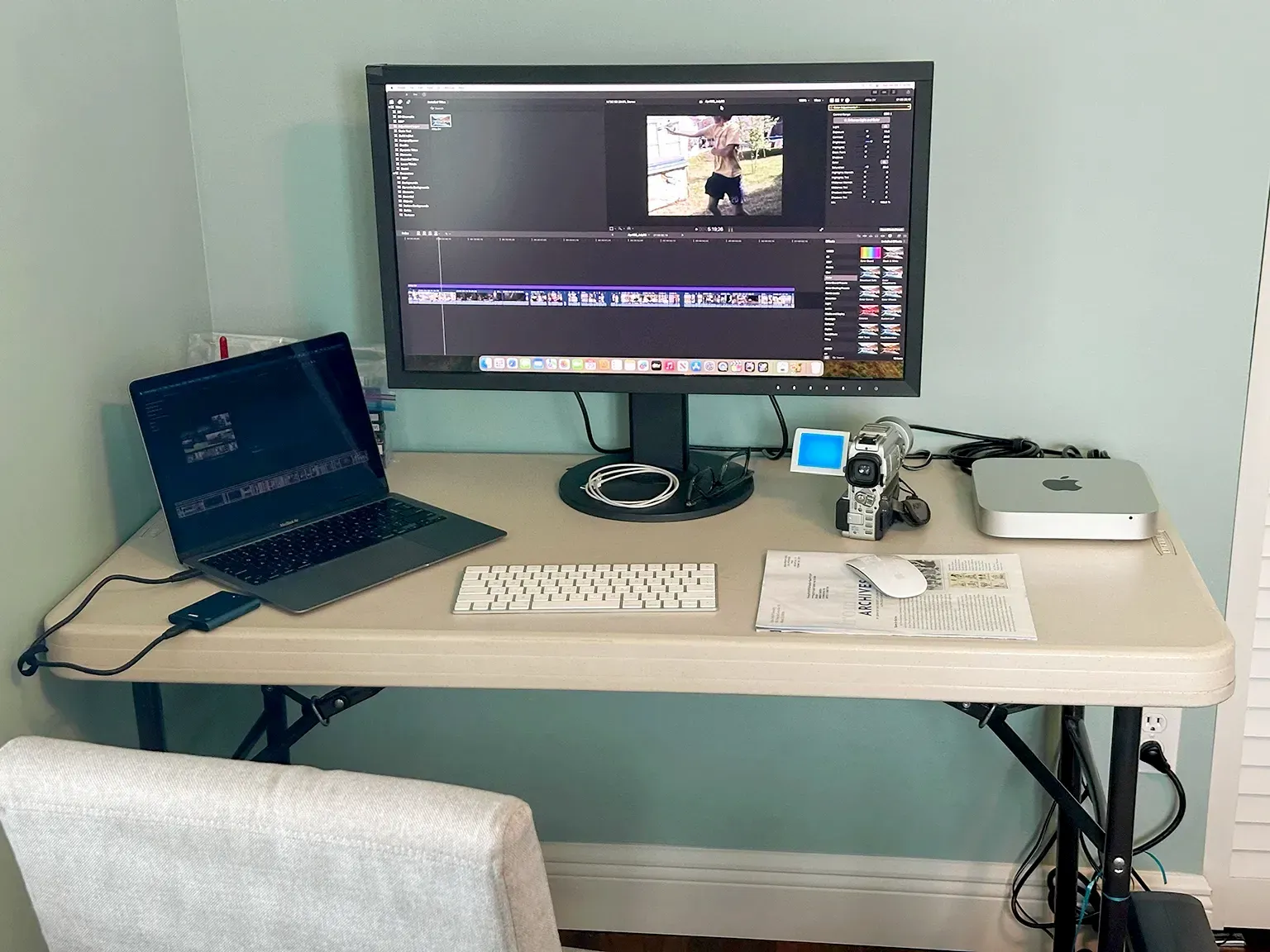
Now I needed a work space. I had a monitor left over from another project, and the trusty MacBook Air M1. I requisitioned a plastic table, a magazine for a mouse pad and setup in the corner of a guest bedroom. With a borrowed battery backup, mouse, and keyboard, I was ready to go.
Mac Mini
While the tapes were in flight, I did some initial research to find what was working well in 2025 for digitizing tapes. I got lucky on a few fronts. The cameras most likely had firewire ports, all I needed was a thunderbolt to firewire adaptor and I would be in business. But have you looked at those prices on eBay!? Bananas. Pivoted to search facebook marketplace - and a super kind gentleman not too far away had a stack of mac minis - Late 2012 (last with firewire 800) for THIRTY FIVE DOLLARS. Bananas. After speaking with him about the project, he sent me the nicest of the bunch - ssd, upgraded ram, AND a power cord. Couldn’t thank him enough.
Wiped the ssd, installed OpenCore Legacy Patcher to get to a somewhat recent version of macOS. Got Final Cut Pro, Compressor, and Handbrake up and running, all I needed now was the tapes and cameras.
8mm
The 8mm tapes ended up being the less complex one of the two sets. Unfortunately the camera that came with the tapes was not functional. Despite valiant efforts by a family member, it was not usable. Coincidentally, a work associate had thought about going down a similar avenue with digitizing tapes and they had purchased a video8 camera to digitize their own tapes. They had not yet used the camera, but it was available to be borrowed! Again, could not thank them enough. Plugged in the camera, inserted tape, fired up Final Cut Pro, then digitized! Despite being a nearly 1 to 1 process (an hour long tape takes an hour to digitize), it went fairly quick. No tape issues, no damage, easy sailing.
MiniDV
DVRescue for the win. The MiniDV camera and the MiniDV tapes both had issues. Finicky connection, or the digitization would cut due to how Final Cut works with transitions in start stop of recording. After going down quite a lot of dead ends and troubleshooting, I eventually found a working process with DVRescue. If you need to digitize your MiniDV tapes, you should definitely consider using it. Started the run and finished without further worries.
Finals
Beyond the original data, Handbrake ended up being better than Compressor to provide final deliverable files. A few rounds of testing were needed to dial in file size vs quality, but after that, it was easy going. With that done, final files were split into different external drives, tapes and cameras packed back up, and everything was shipped back home.
In the end it was a little over 60 tapes and a few TB of data. Fun project, and happy to help a family member in need.