Duplicate Detector
Role
I needed a tool that could reliably find subtle differences between very near duplicate and actual duplicate imagery from the Archive Project. The program needed to work with different lighting, angles, rotations, crops and media sizes. I wanted it to be local and offline. What worked best for me was a tool that stacked several types of detection in sequence.
Development
Trying to keep things simple, the program is only two parts. A single python file (I used Astral’s uv to manage python) and a html file. Both got a little unwieldy towards the end of development as more tools were added into the code, but I figured the line size was preferred over the complexity of a refactor.
The process to build the tool was pretty linear. Plugging in different ml vision models or other open source deduplication tools into the .py, run against a folder of known tricky images and if it performs better keep, worse drop. Then repeat until I had gone through all the most recent options I could find. Wasn’t more than a day or two of testing until I got a happy balance of speed on the mac vs performance.
Detection
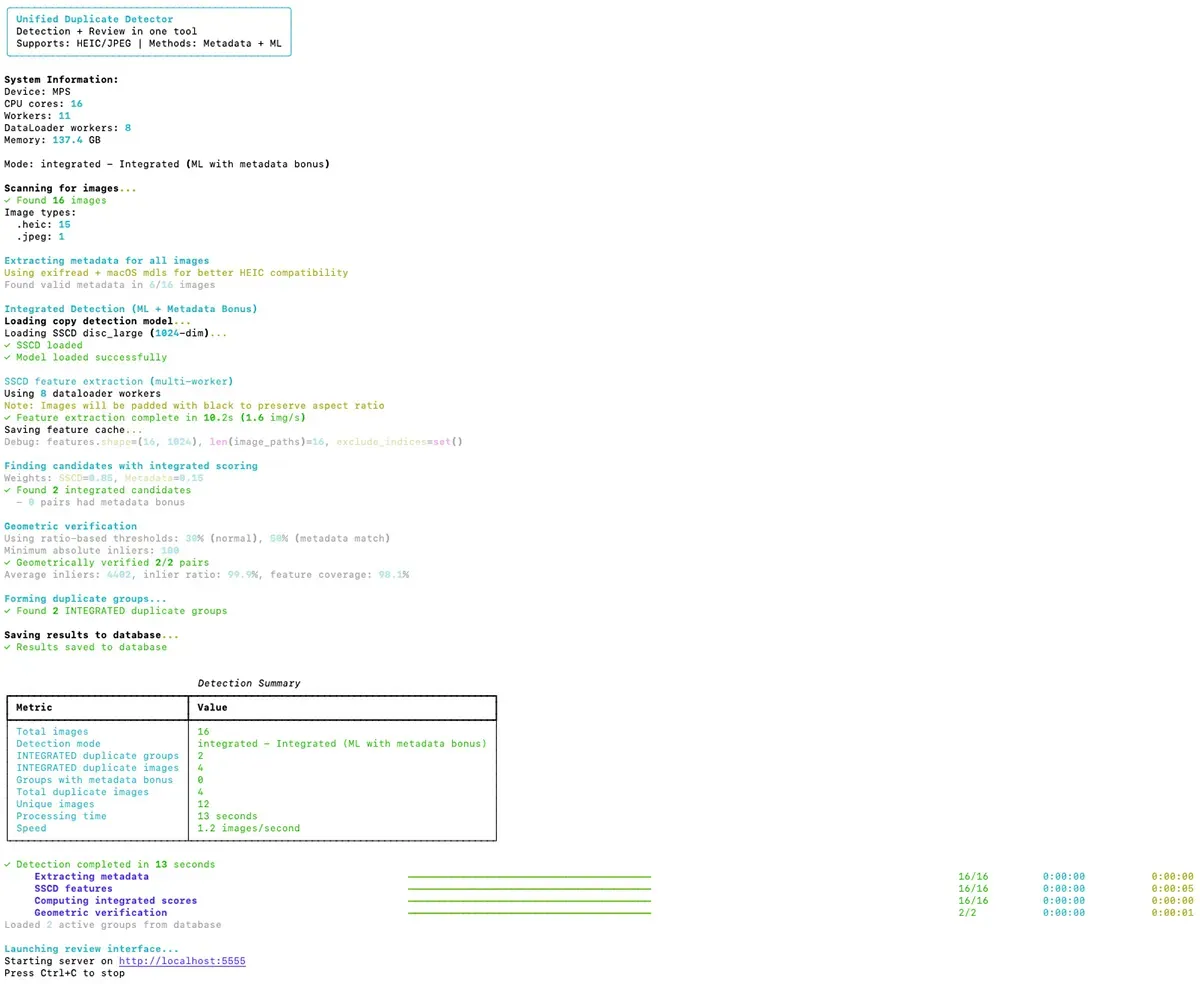
Before the tool opens a local web browser GUI, it runs in the terminal. There are roughly three main detection steps.
- Metadata matching looks at information embedded in the photo file - the timestamp of when it was taken and what device took it. If two photos have identical metadata, they’re likely duplicates.
- Neural network matching uses a pre-trained model SSCD from Facebook Research that converts each image into a numerical signature. It compares these signatures to find visually similar images.
- Geometric verification confirms potential matches by finding distinctive points in both images and checking if they align spatially. This is an attempt to prevent false positives where two different images might score as similar.
UI
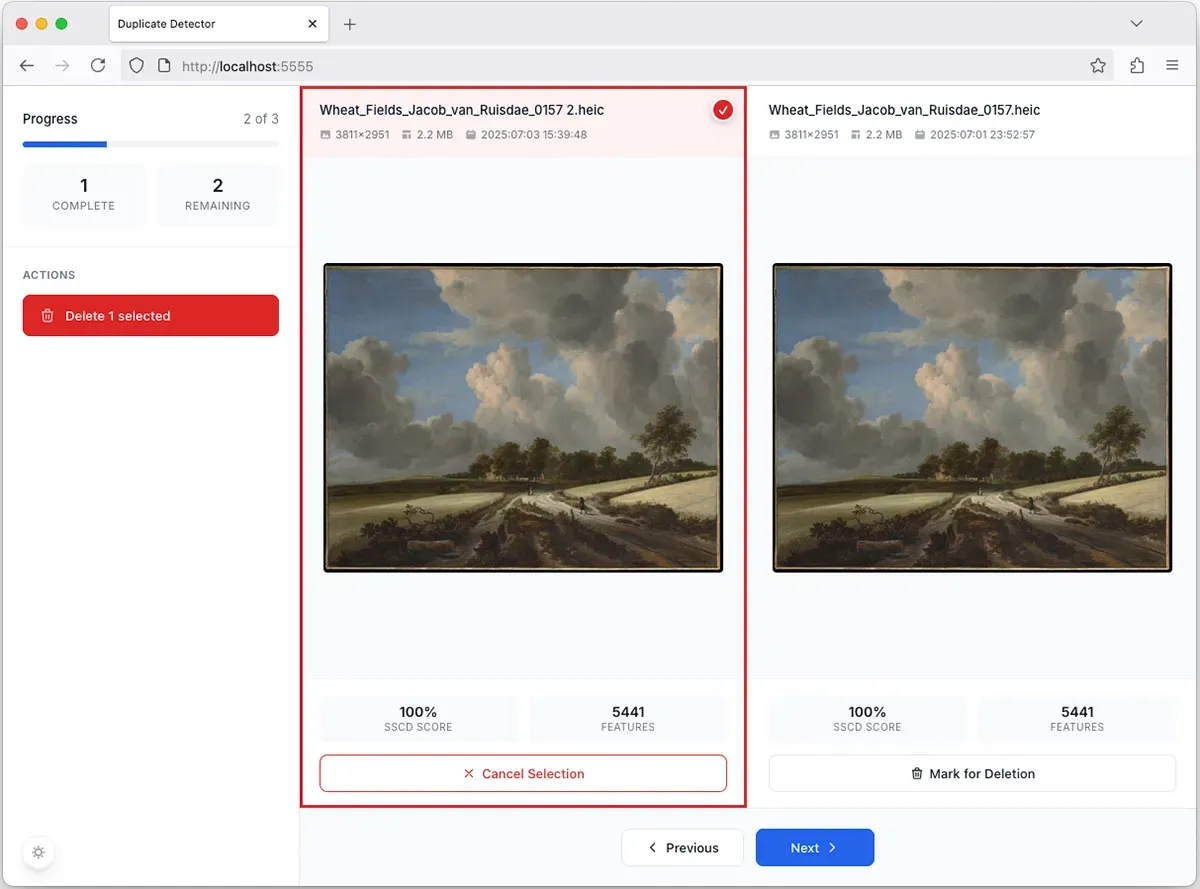
I wanted something clean and easy. Just enough information to make a decision. The final UI shows the likely duplicate imagery side by side, with specific details that might help make an informed decision and a giant two-step delete process. 1. Select. 2. Delete. Claude really wanted to add a progress bar, so that was added. Images that are deleted move to the trash, and can be recovered.
Process
When you run the program:
- It scans the folder for image files
- Extracts metadata from each file
- Loads the neural network model (or downloads it the first time)
- Generates numerical signatures for all images
- Compares images to find matches above a similarity threshold
- Verifies matches geometrically to confirm they’re actually duplicates
- Groups duplicates together
- Saves results to a sql database
- Opens a web interface for review
Simple, right?
Details
If you would like a little more information, I added a Technical.md to GitHub, that should fully explain everything in detail.
Next Steps
If needed, the Metadata could be updated to show when an image might have actually been taken and where.
Or try it yourself! Find it on GitHub - Duplicate Detector