Kiko - Seen, but Hidden

A Simple Website
Rather than giving companies the possibility to take personal or sensitive information, sell or market it, I opted to research, then borrow the best ideas and design an end-to-end solution for a wedding website.
With the help of LLMs this should take no time and be easy!
10,000 lines later…
A More Complicated Website
To ensure no information is publicly accessible, gated access only, and prevent scraping / bots:
- Deploy via Cloudflare Workers with bot protections (and all other cloudflare protections)
- A simple landing page with almost no code
- Server-side rendering for all data
- Envelope encryption and hashing for everything, every write, every read
- Cloudflare Turnstile (Guest Side)
- Cloudflare Access (Admin Side)
- Google Workspace for both email API with SPF/DKIM/DMARC and Cloudflare Access
- Strong middleware, large CSP, KV limits, IP limits
- Single-use magic links
- Short circuit URLs
The Guest & The Admin
If you skipped the technical mumbo jumbo above, the result is essentially two web pages connected to an encrypted database. One page for guests, one page for the admin (well four, there are mobile and desktop versions).
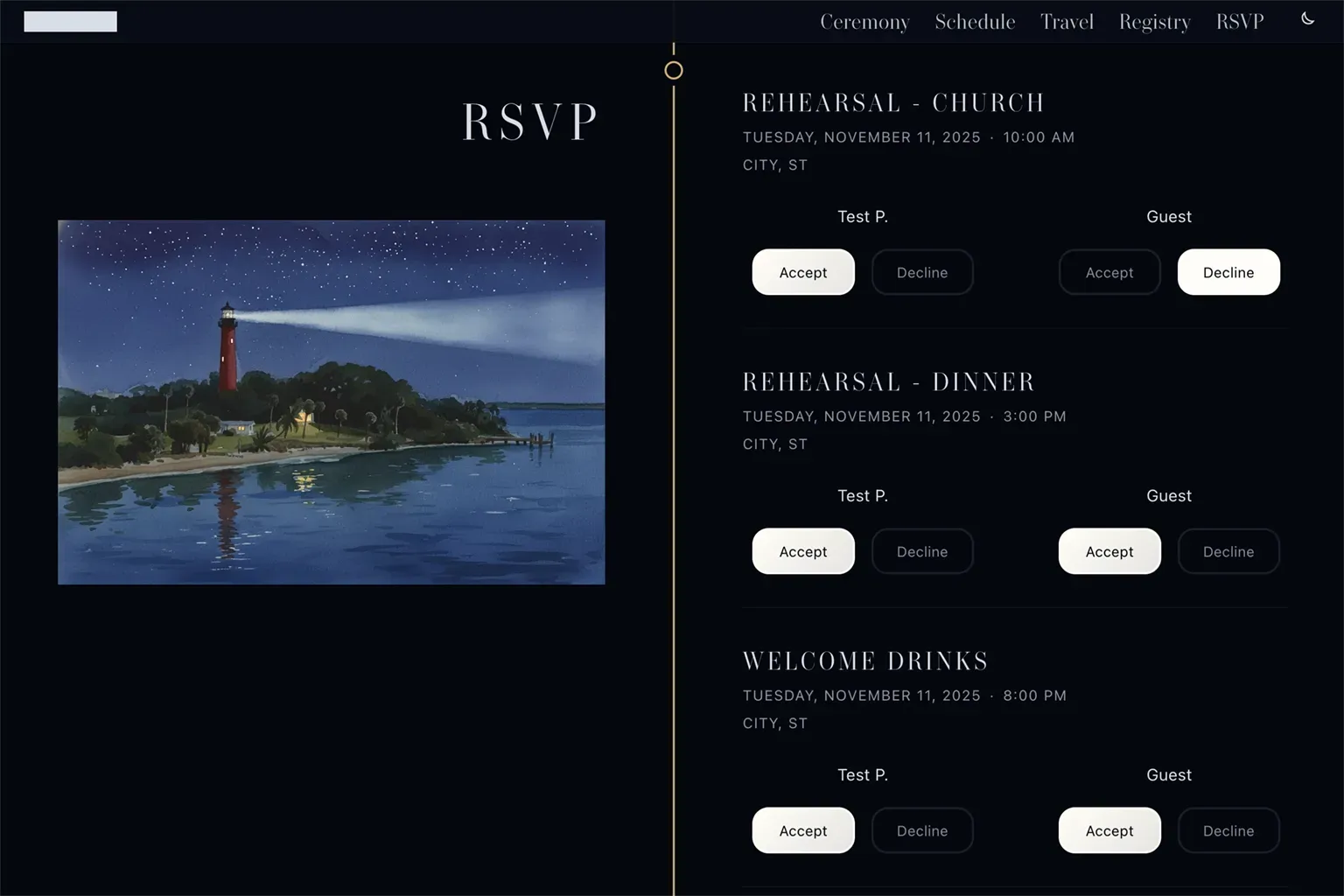
On the guest side, each user has an individualized experience. All information is specific to them, and their interactions are unique. RSVP yes/no to any invited events, update food preferences, use Stripe to gift, or discover information about the ceremony and local area.
On the admin side, they have access to all data. Send invites or emails, manage guests, update content, change events, and remove access.
The Guest Experience
1. An Invitation Email
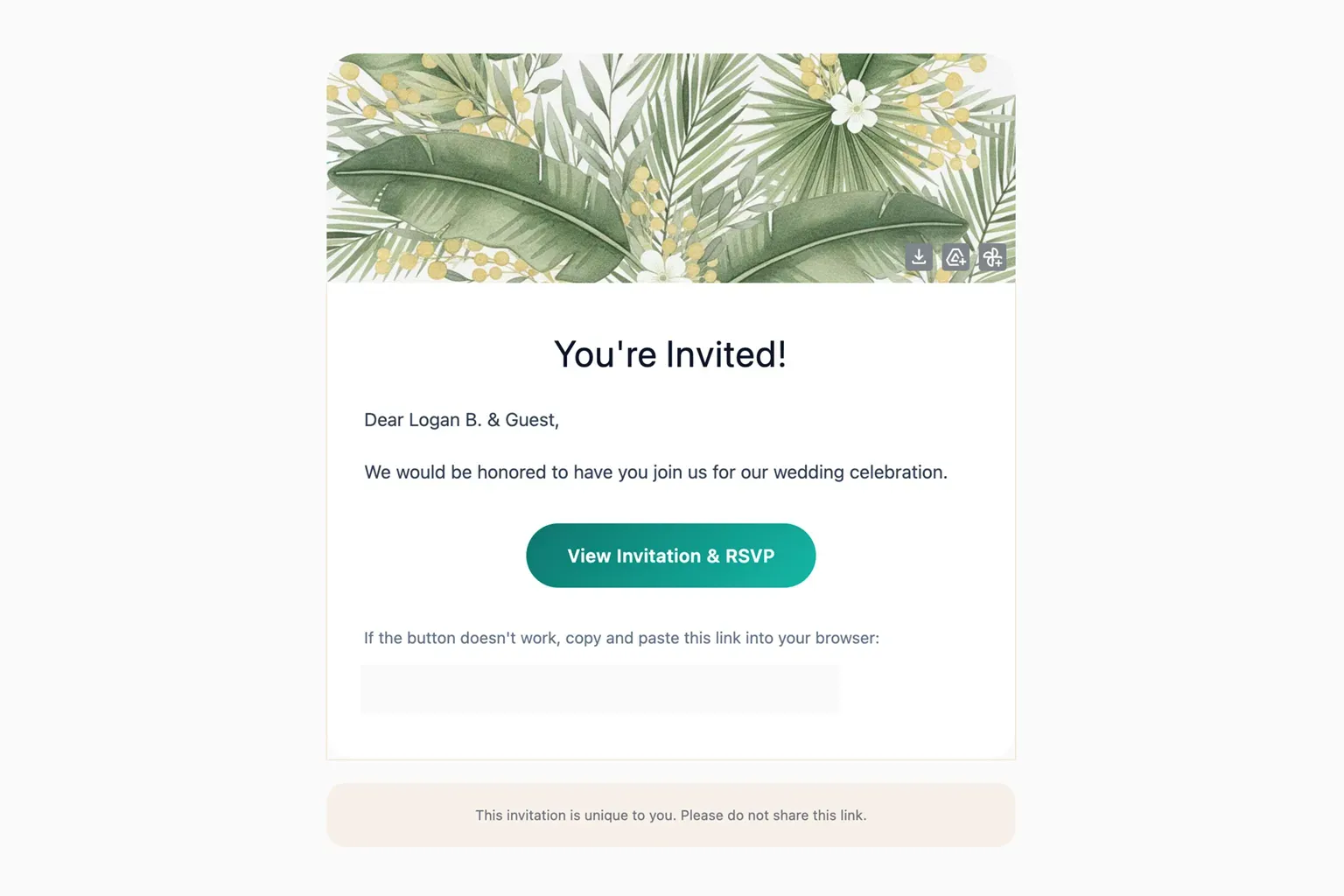
A guest will receive a personalized email with a unique tracking link from the admin. The link records the timestamp but doesn’t authenticate.
2. Magic Link Request
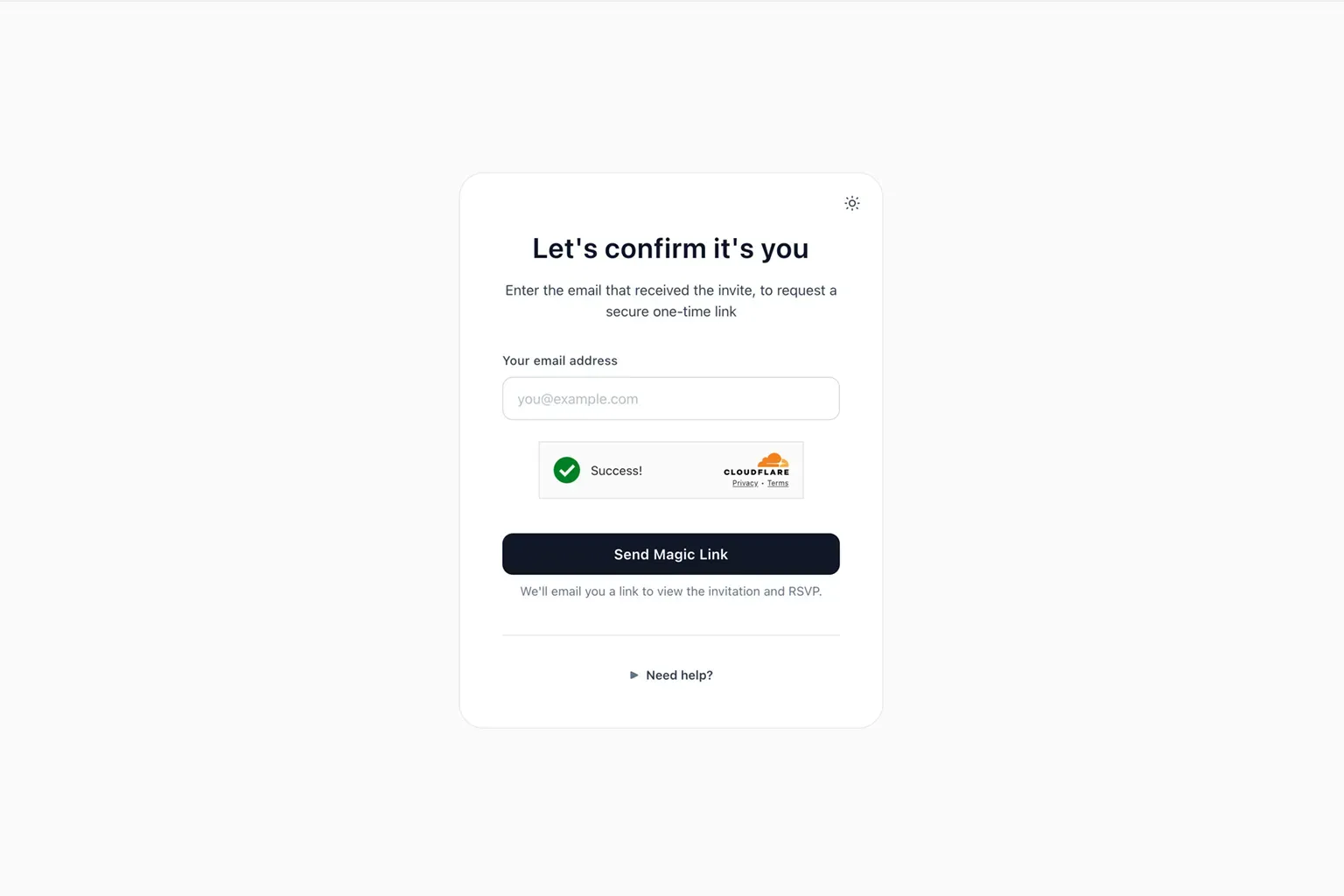
Once they click the invite link, they are taken to the magic link request web page. The website asks each person to input the email that received the invite to request a magic link. If the email they enter matches what is in the database, they will receive a magic link email.
3. Magic Link Email
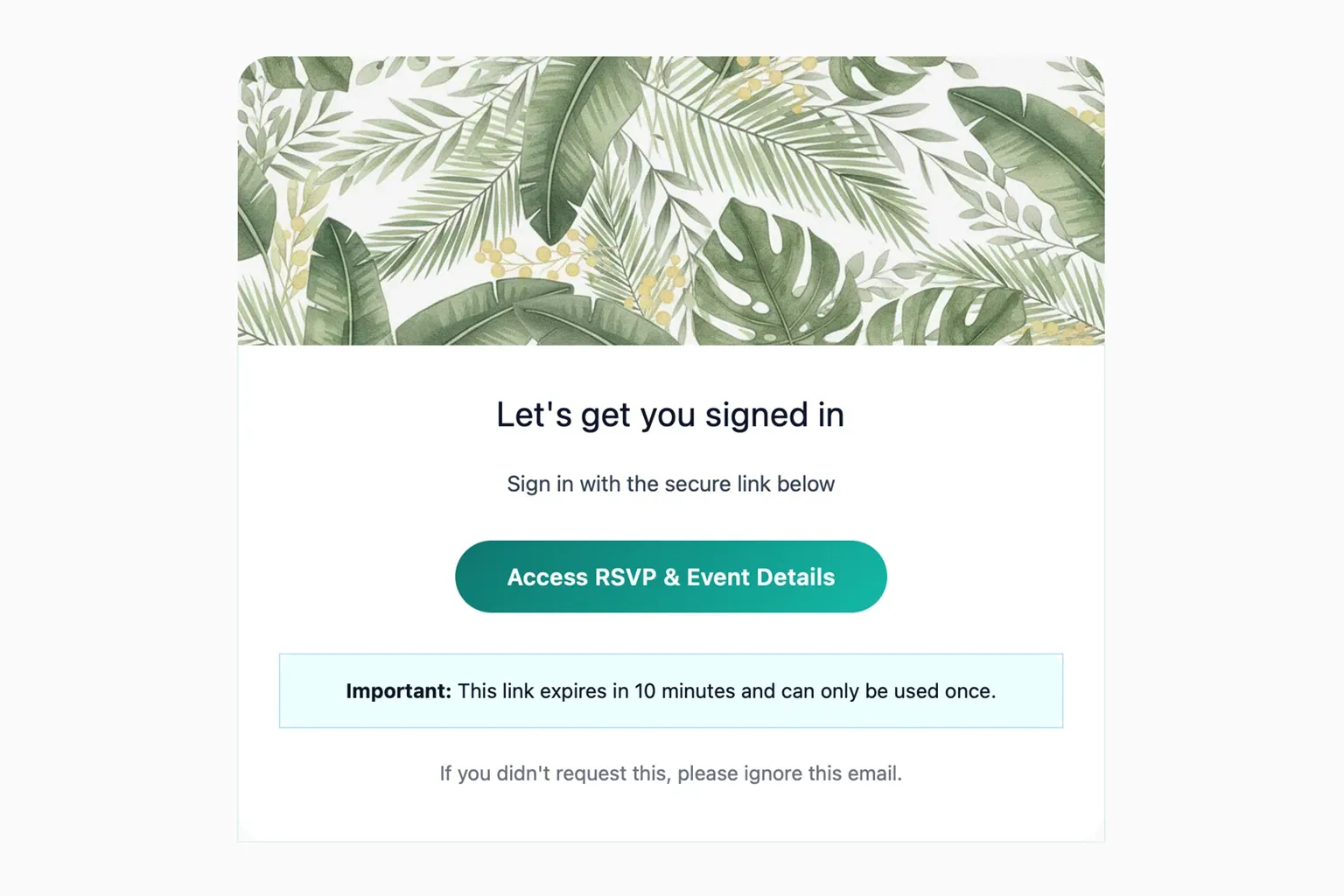
If the magic link request is successful, the guest will receive a second email. Clicking this link will authenticate and send the person to the event website.
4. Guest Website
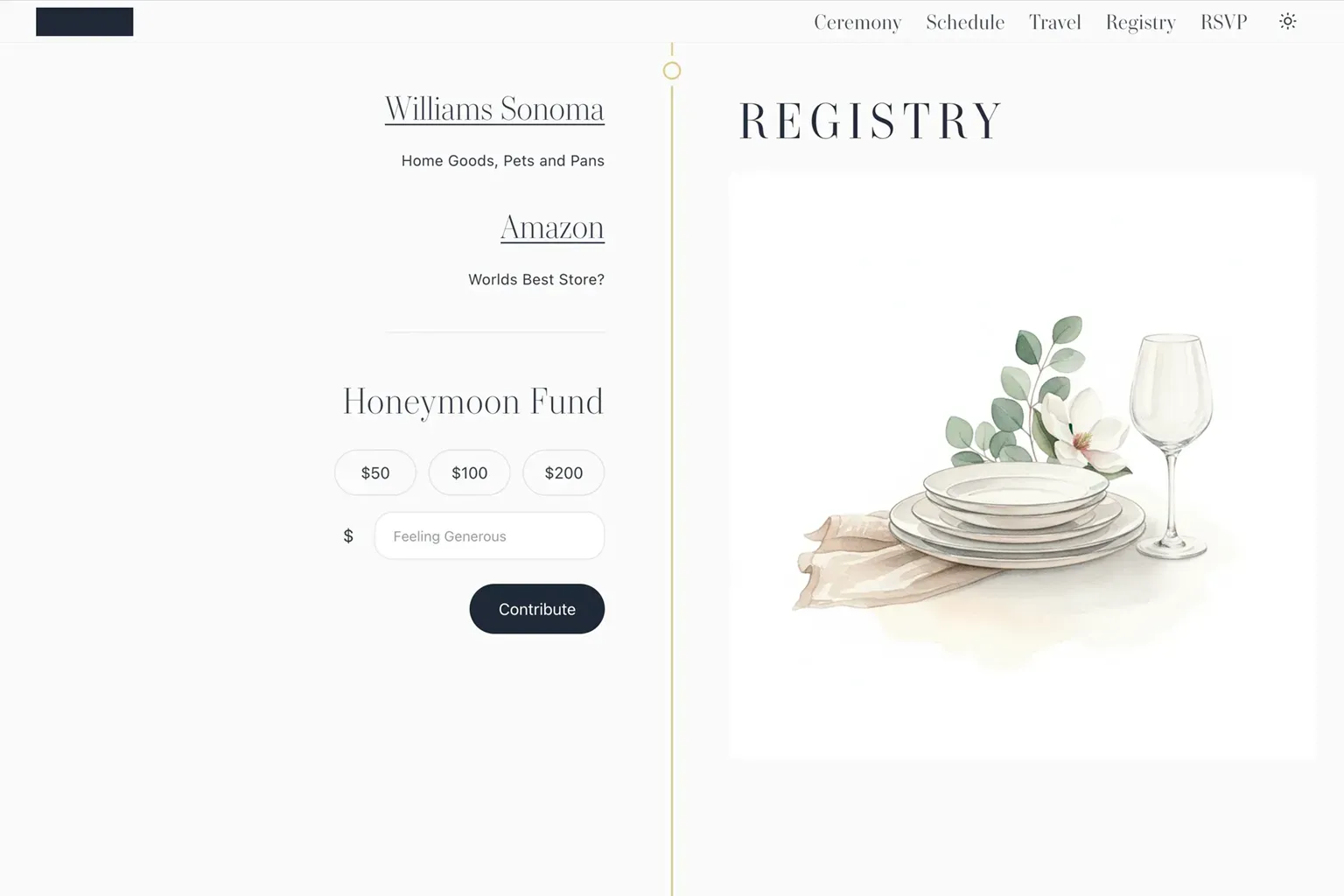
Each guest is then shown their own version of the website. Ceremony, schedule, travel, registry, and event RSVPs - all specific to them. The information is dynamic and can be changed by the admin at any time.
Above is a test version of the Registry section. Stripe took a moment to fully integrate. Simply click, the credit card slides open, enter info, and gift. Easy and low friction.
The entire website has both day and night themes. All imagery and text have alternative versions for both day and night mode. And while I would love to show you the rest, it will have to wait until the event is done, and I’ll update the website with a GIF of the entire flow.
The Admin Experience
Cloudflare Access
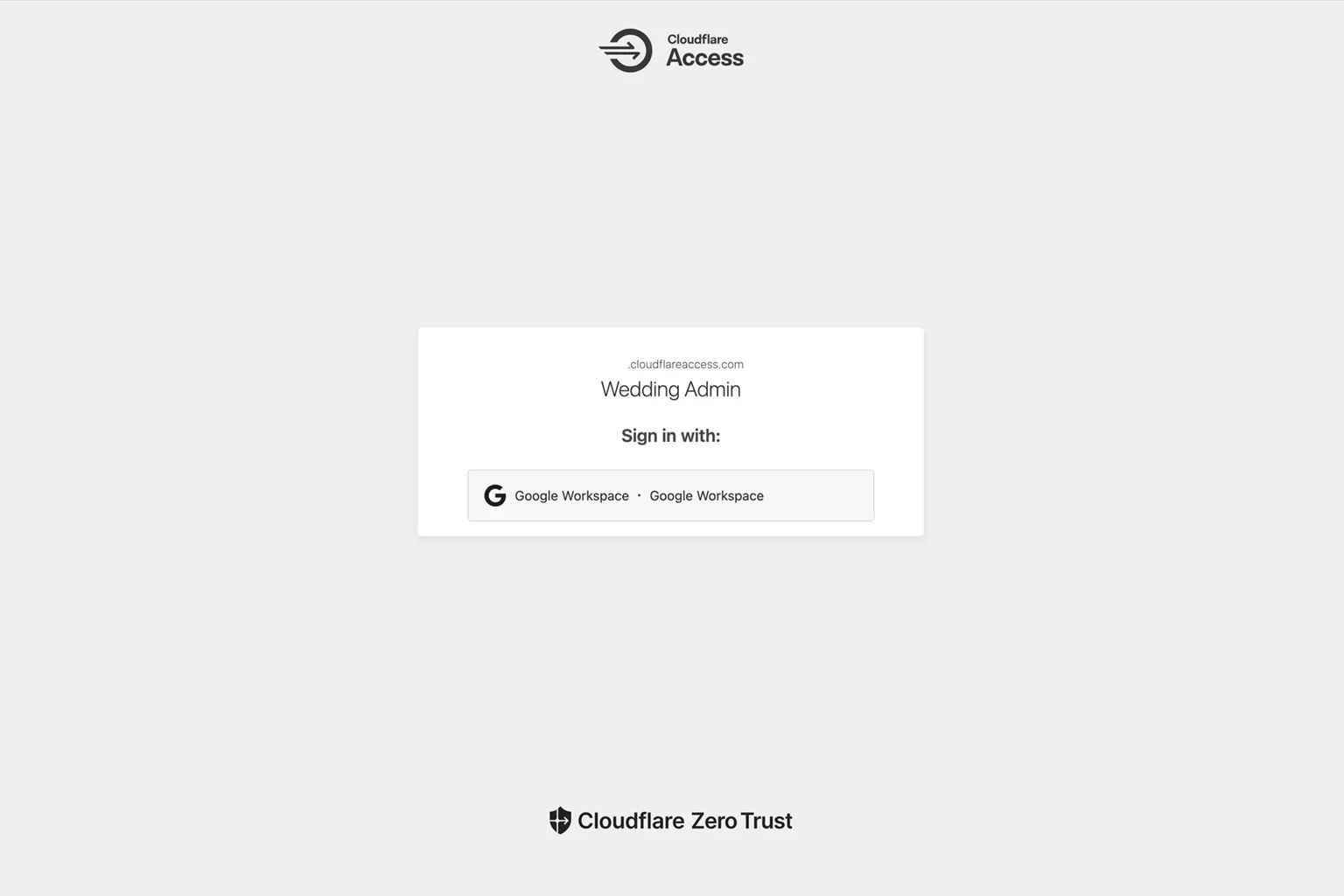
The admin side is web accessible, but requires going through Cloudflare Access with an approved Google Workspace email.
Guest Management
Video walk through above.
Admin is split into two parts. Guest management is the first half. It allows the admin to send email invites, send individual or group email updates, manage the guest list, and review metrics.
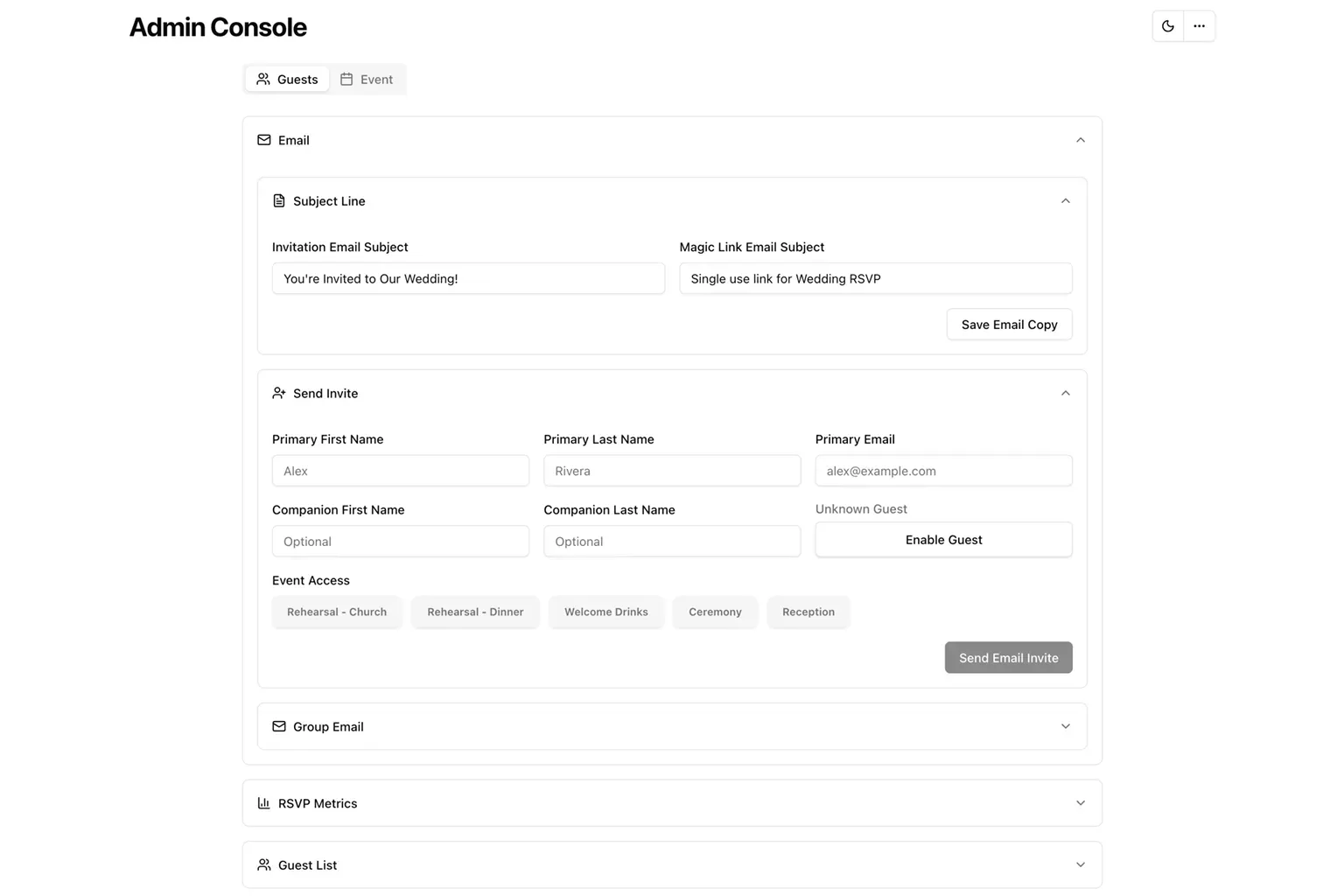
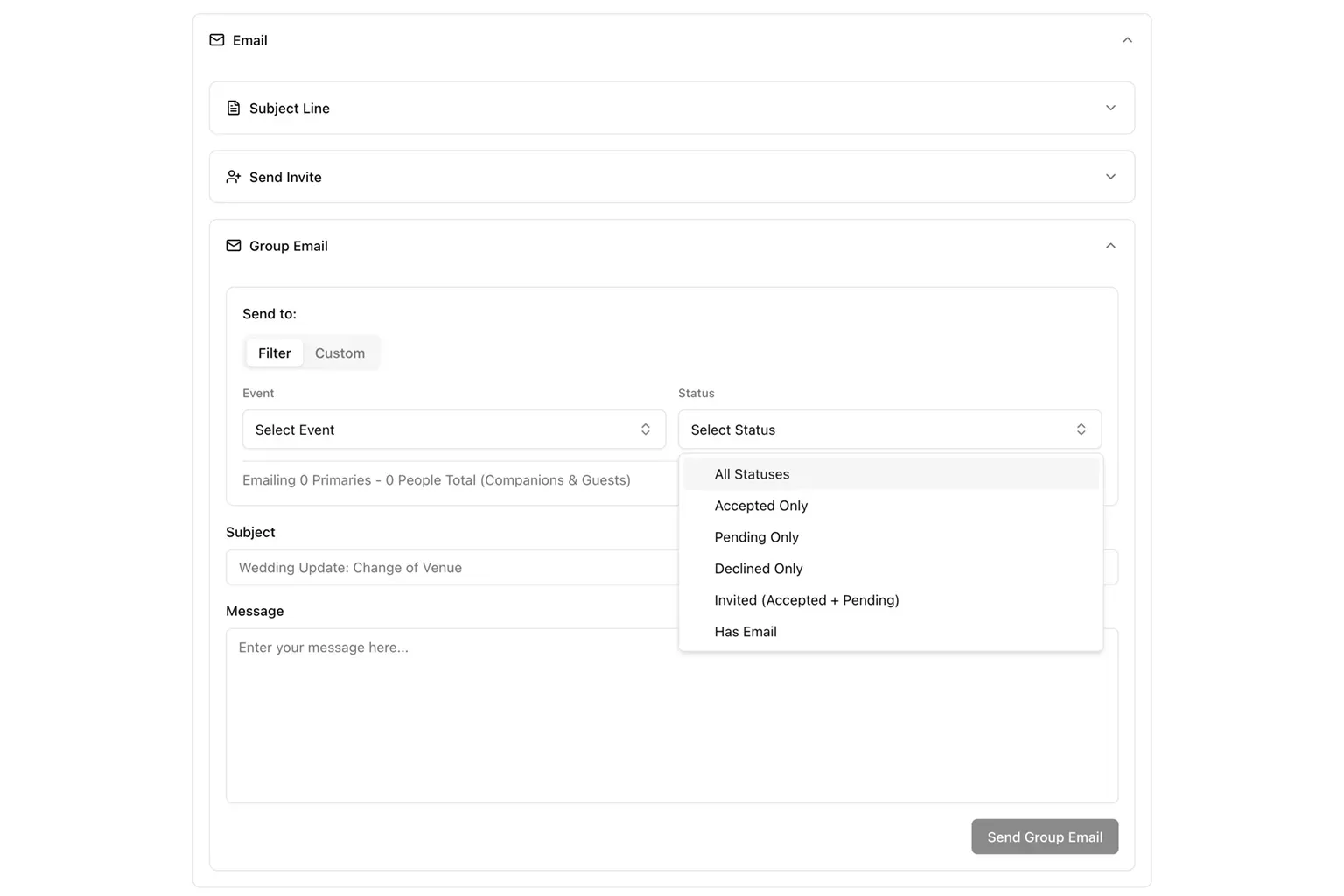
Invites are sent to the primary guest, with the possibility of adding a second named guest or a single unnamed guest. This can be changed later. Event access (assuming the event has been set up previously) can be added at this stage by clicking the button for each event - or be added/updated later.
Update emails can also be sent to specific individuals, groups, events, or by status.
Metrics
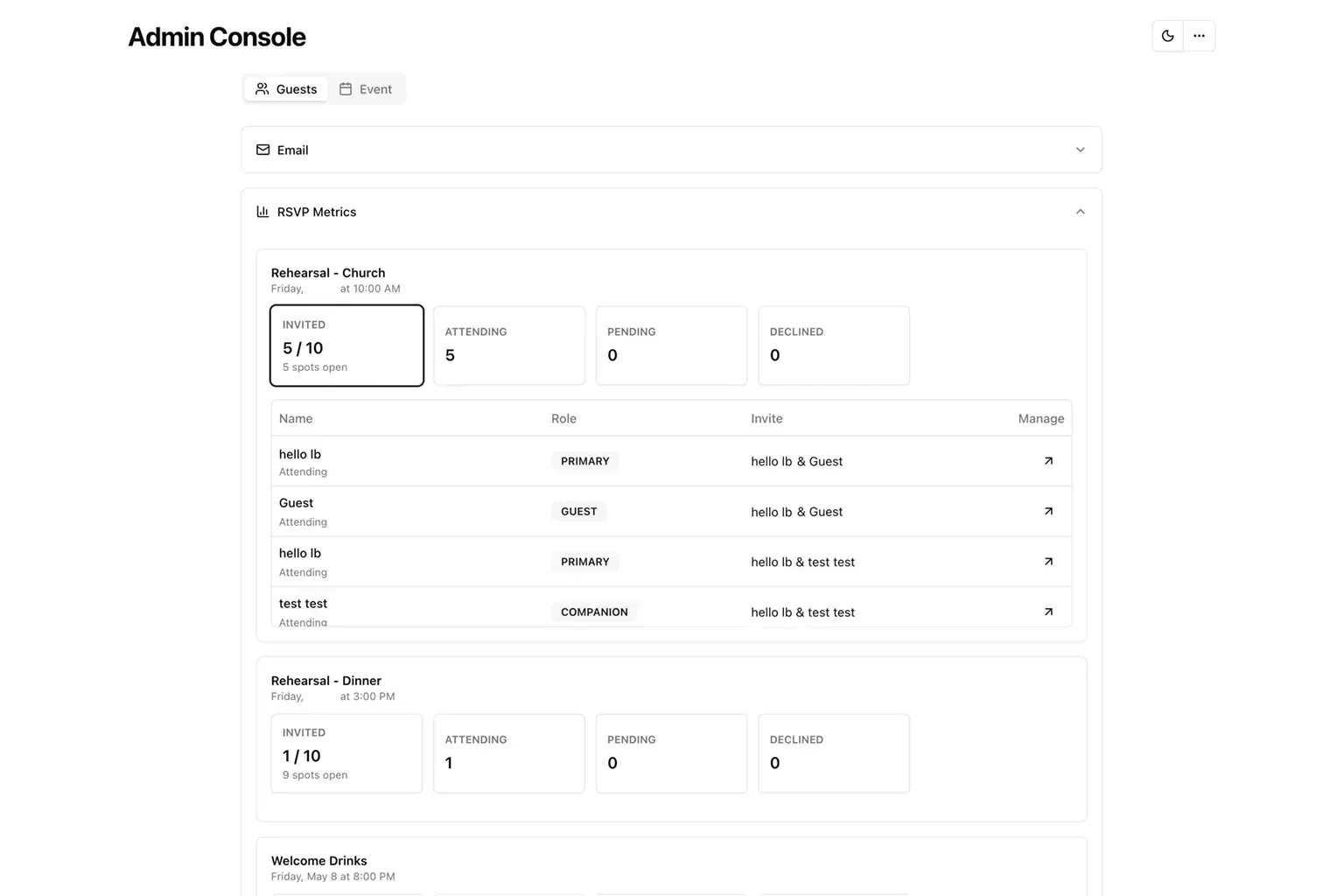
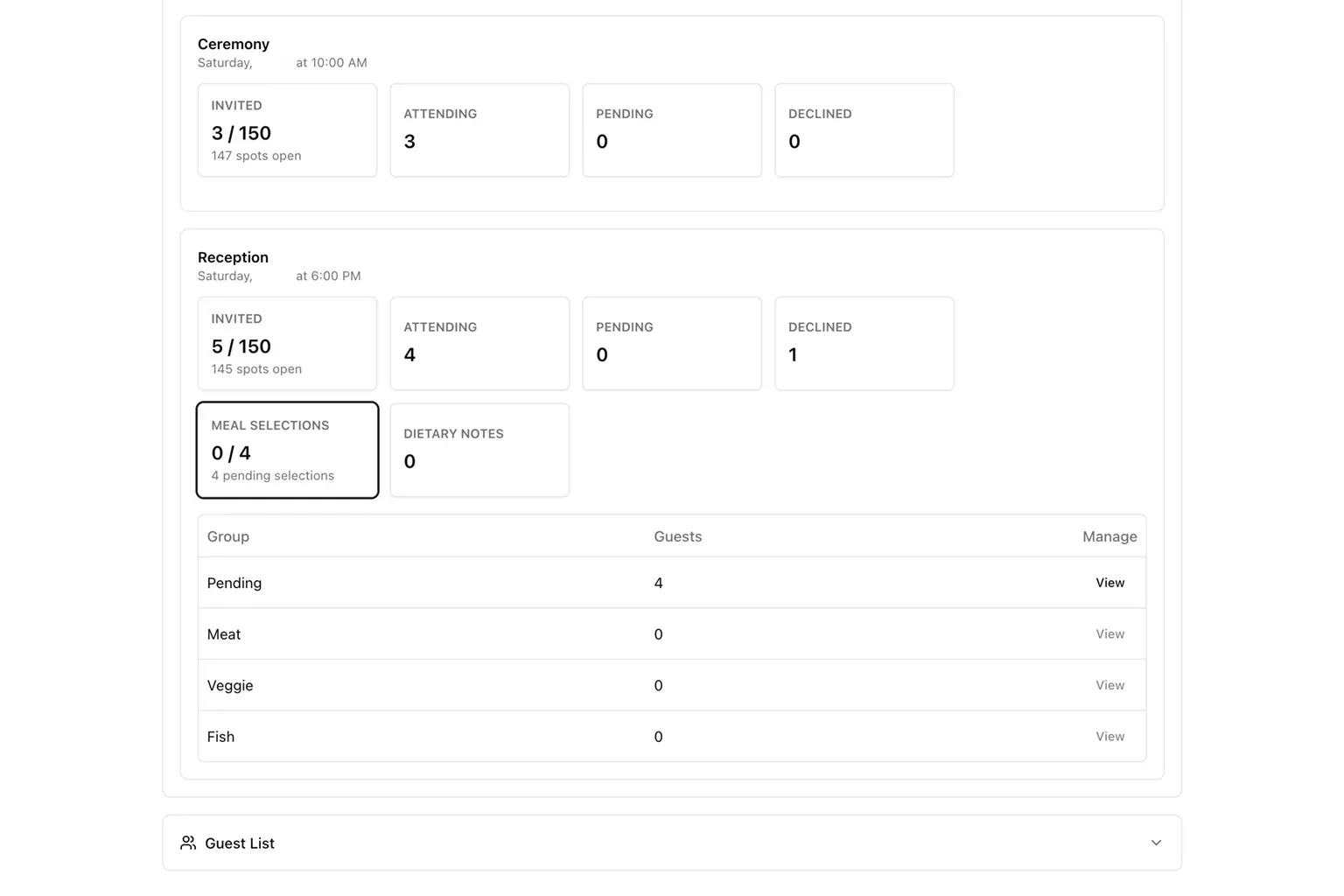
Metrics are per event. Each event has a total, attending, pending, and declined. Clicking any box will show the specifics for each guest in that box. You can then click the manage button that will move you to the actual guest management.
For events that have meal selection and dietary notes turned on, additional metrics boxes show.
Guest List
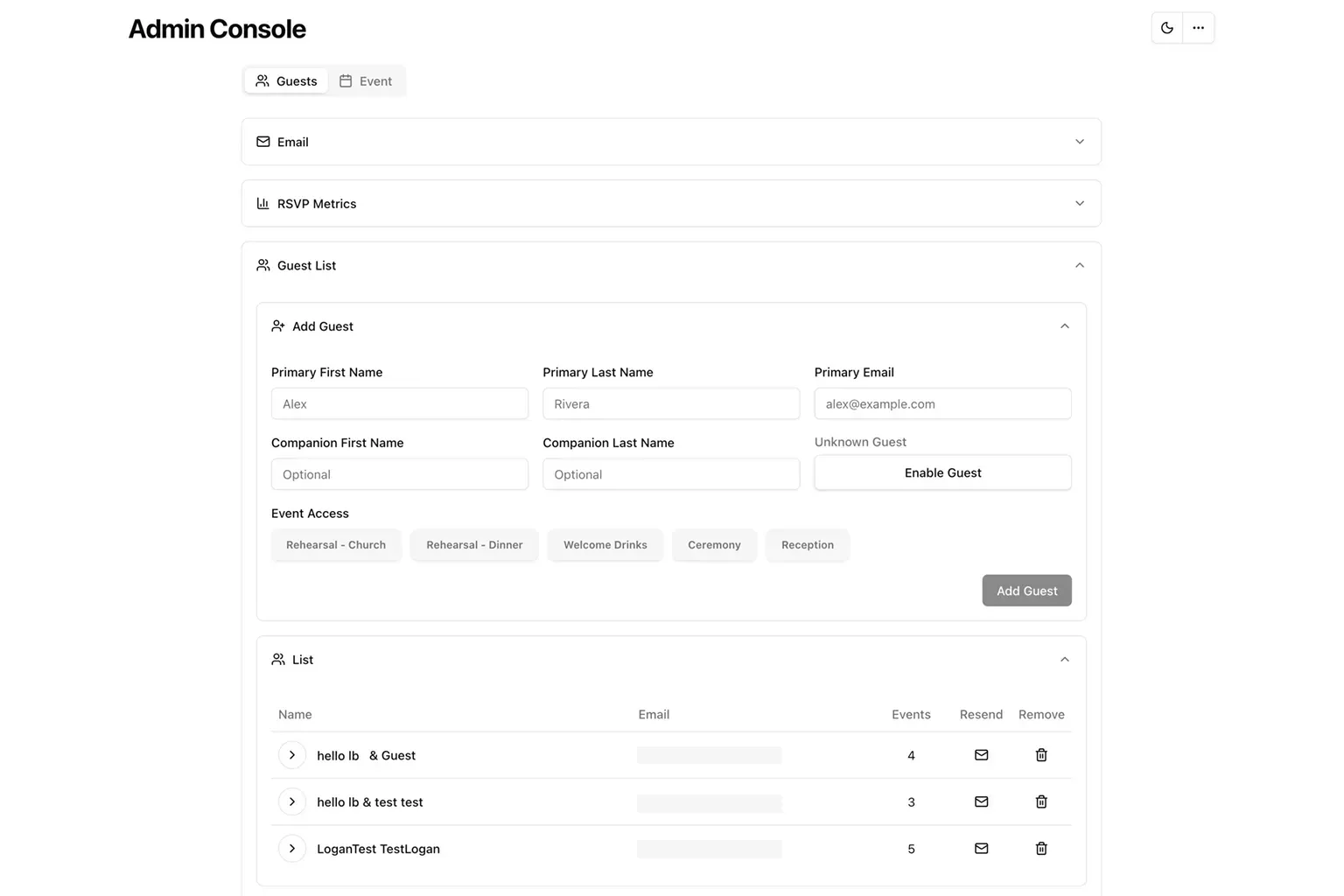
The guest list section is similar to invite, in that it allows you to add guests to the database, but without having to send an email.
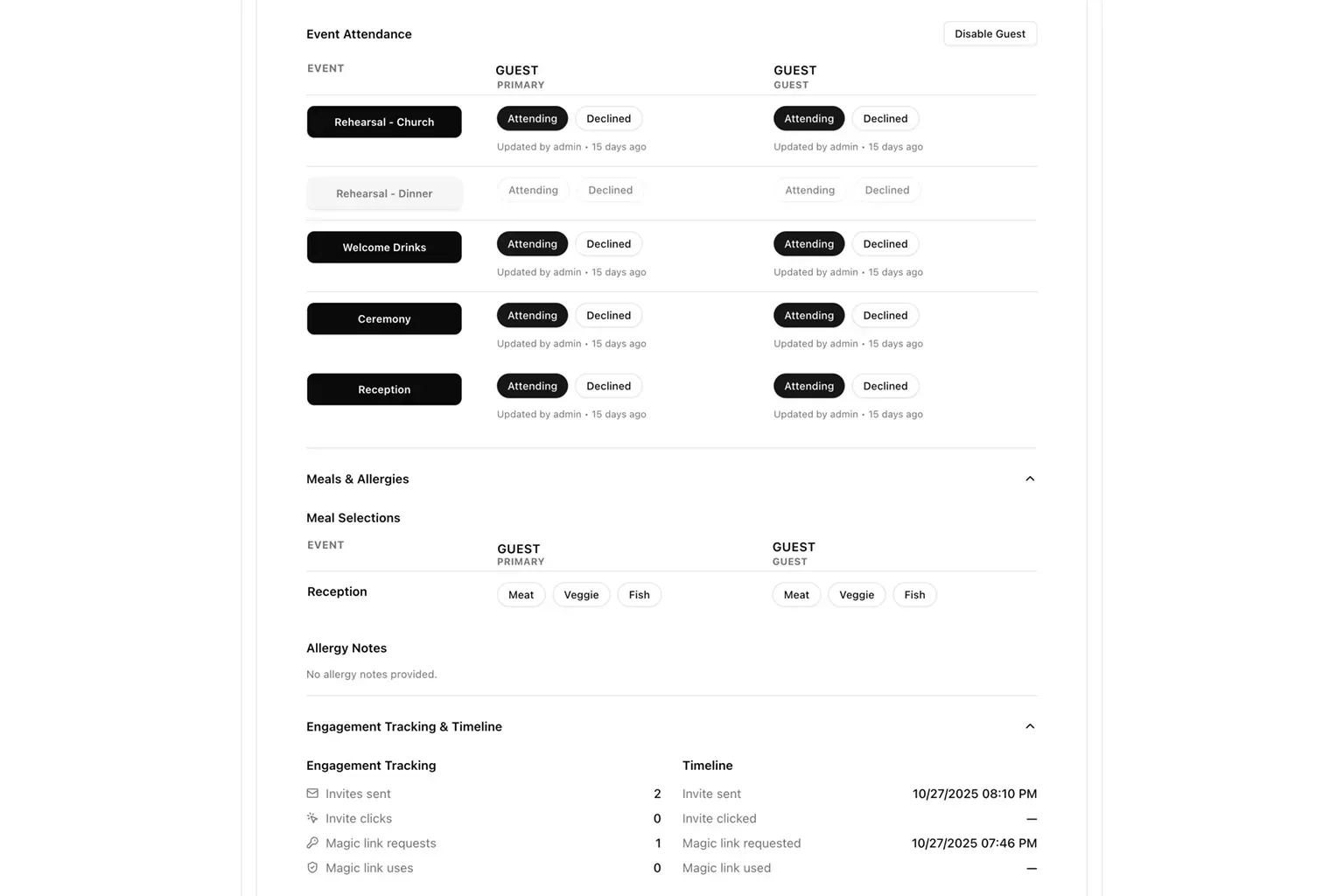
Each primary guest can have their email invite resent, or they can be removed from the db. Clicking the arrow next to each primary guest, will show all the details about their specific invite.
The admin has full control over each invite. Add or remove access at any point, update yes/no to any event. See if meal selections have been made, or make them. See tracking data to determine if a person has clicked an invite or magic link.
Event Management
Video walk through above.
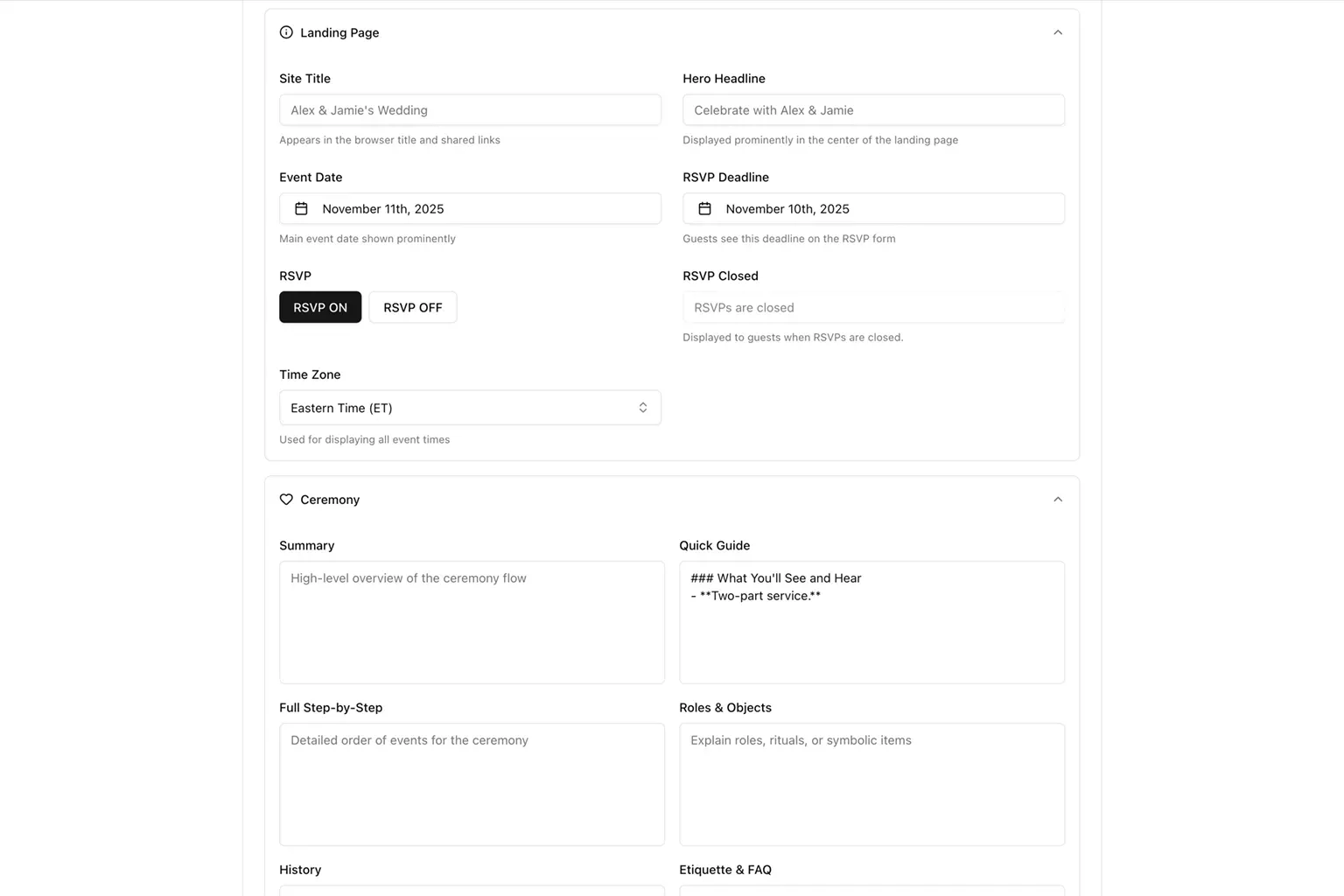
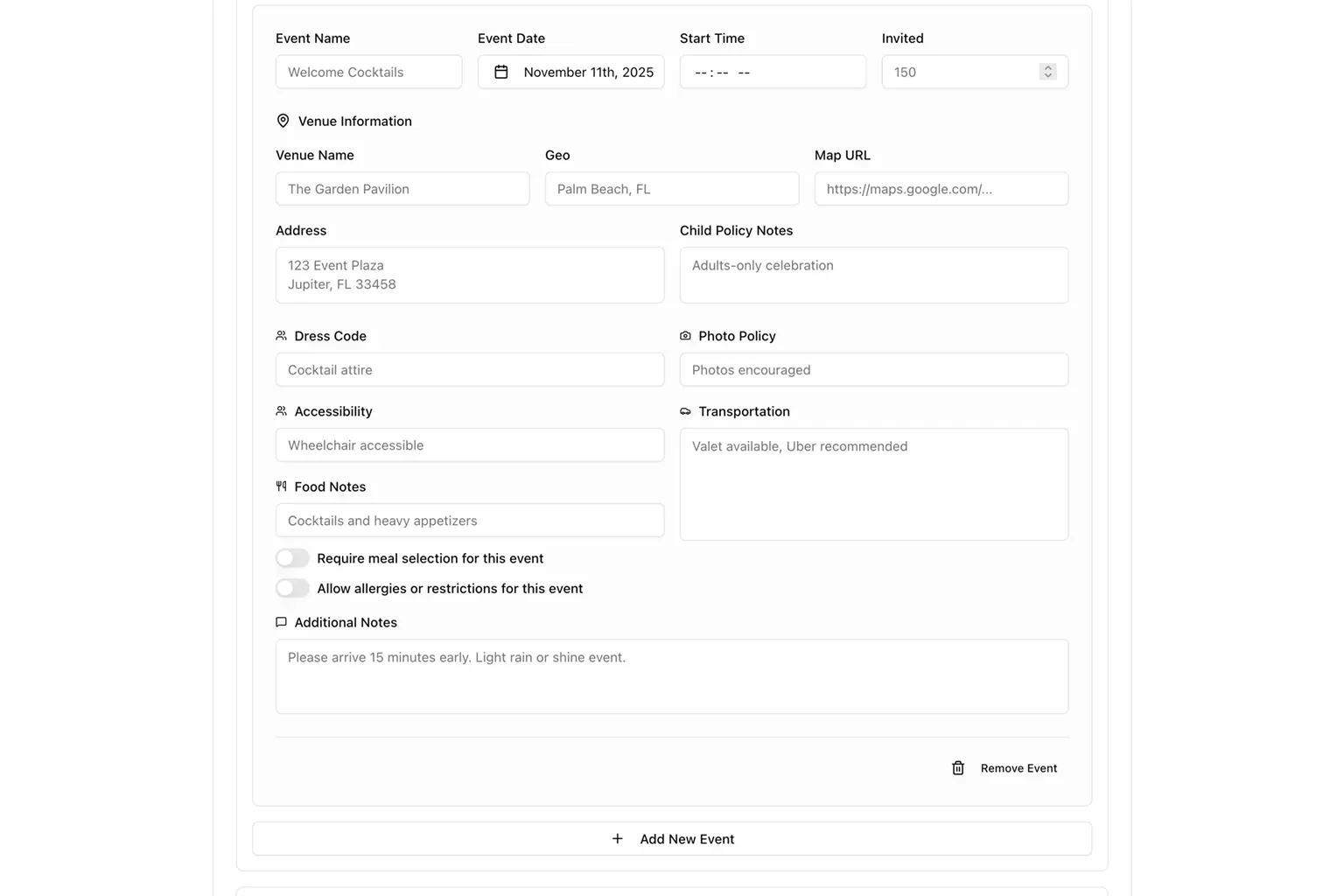
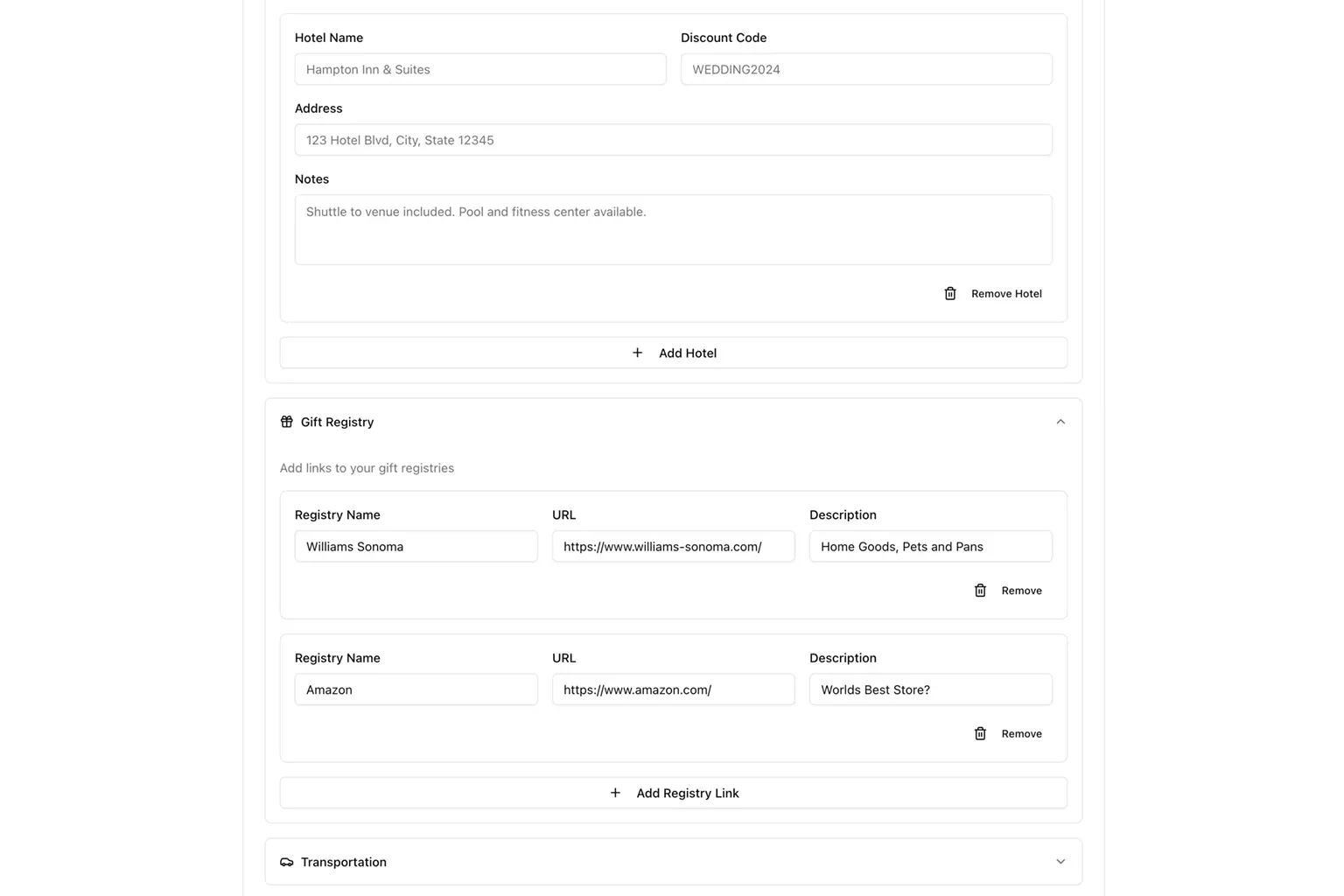
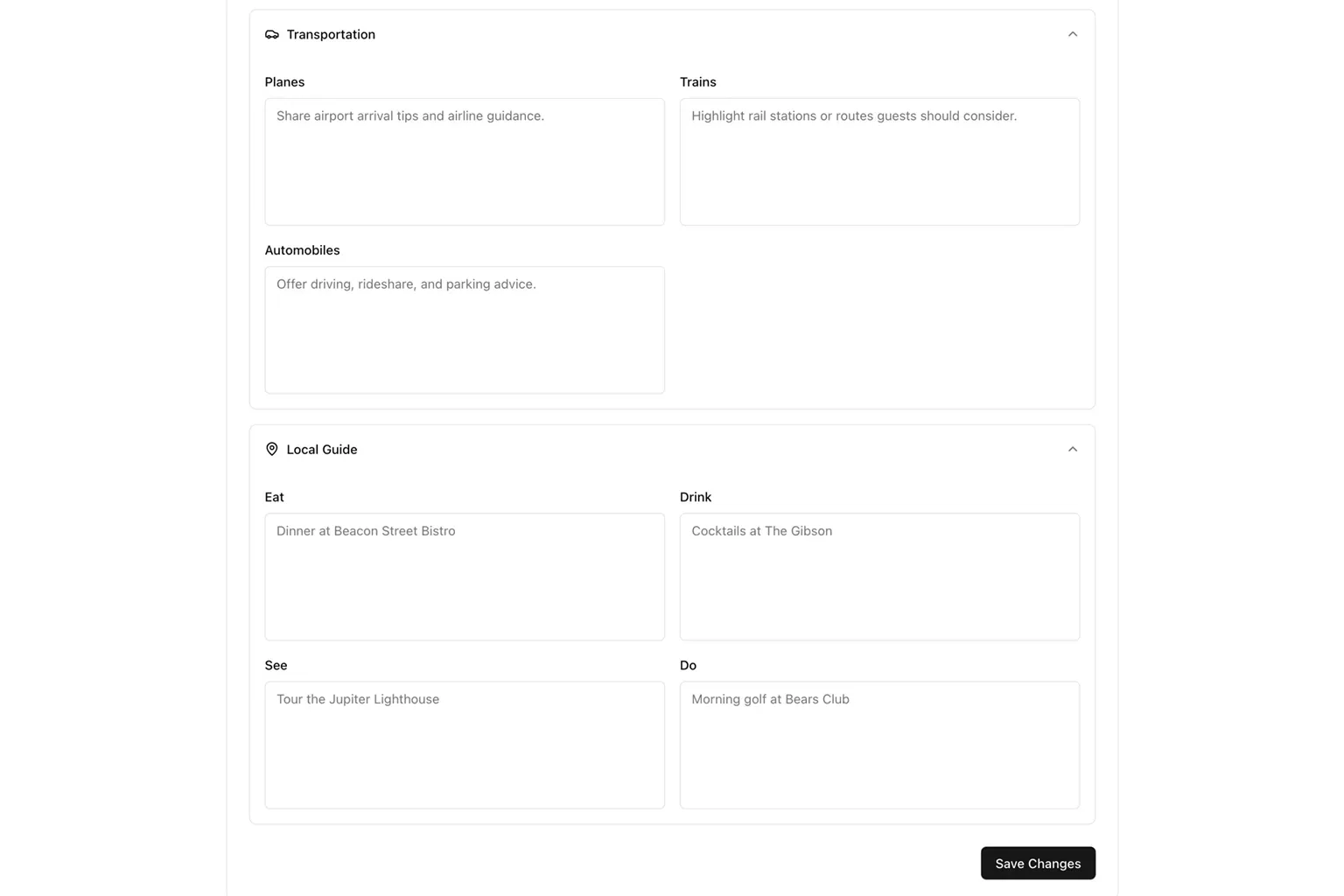
The second half of the admin console is event and content management. The majority of the content boxes are Markdown-aware, so text can be enriched as required.
Landing Page and Ceremony
Event Details
Hotel and Registry
Transportation and Local Guide
Still here?
That’s essentially the entire Kiko project. A website, and email. It runs in Cloudflare. And when the event is over, it’ll be deleted.
If you made it all the way down here, thank you for scrolling.