Kiko Media
A Simple Request
Let’s just say, hypothetically, someone casually mentions, hey - what if we had a local private space for people to upload photos to during an event (a wedding perhaps), could that be done? And now, some time later (definitely not wayyy later, that would too be embarrassing to admit publicly) here we are. Some might say, hey - doesn’t this already exist a thousand times over, and yes, they would be right, it does. But, dear friends, there is no half assing around here, it’s whole assin all the time. If we are going to build, it’s going to be done all the way. So. Here we go.
TL;DR - Github - Kiko-Media
Humble Beginnings
Initial design was to borrow the OG Mac Mini from the video project. Wipe it, install linux, Claude/Codex, and Immich. Immich seemed like an easy play, prebuilt self hosted photo and video platform.
After getting Immich setup, it quickly became clear it was probably a little too much in some areas, and not enough in others. I didn’t need all the Lightroom style features, I needed a “simple” hosting platform. I also needed a way to get photos to the Mac Mini.
Most of the system was (and is) hosted behind residential fiber. Exposing a home computer to the internet is not usually something someone does for a good time.
Layers
After much research and bot talk, the v1.0 design would roughly be - Mac Mini at home, a server hosted somewhere as a middleman, and clients at the other end. If a person clicked the Immich share link, they would then transit to the Immich setup via proxy so the data could be encrypted in the tunnel - the server would only ever see encrypted data and the mini would not be exposed to the internet. (I am going to gloss over all the deep technicals for now, it’ll show up later, don’t you worry).
Swimming slowly into the deeper end of the pool - Immich didn’t exactly work the way I had hoped. I wanted this tool to remove friction for a user, and it didn’t have the right mechanisms. And like any self respecting total software expert powered by LLMs, I figured, pft, easy, I’ll just add a few things…
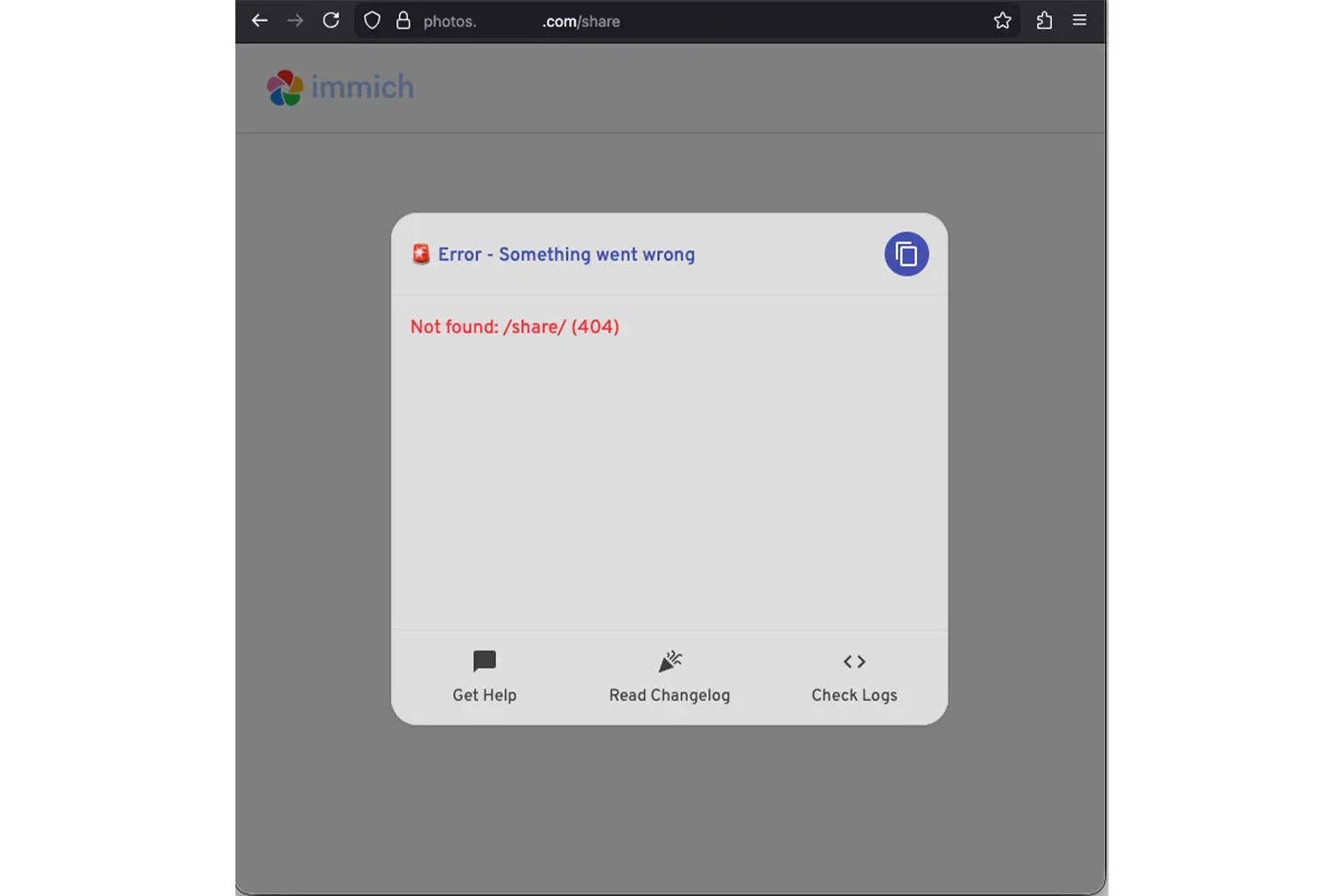
The URL share link was built in (using Cloudflare for the subdomain DNS). But for us, we needed to harden the landscape - rate limits, auth validation, multi part streaming, and most importantly - a share page being the only url open to the web, everything else 404. So we built a full Go proxy and custom share page HTML.
The Easy Part
Ok, let’s see where we stand after all that reading. We have an old Mac Mini with Linux. 5 Docker containers for Immich, custom Go proxy and HTML, and a lot of wrangling to get a photo from a phone to the mini in a low stress way. But we were getting near the edges of forcing Immich to work in a way it didn’t want to.
Well, we already have Cloudflare Turnstile from Kiko (If Kiko is the front side of the bookend, this would be the other half.) If we have a server in between the mini and the end user, what if we went full custom…
Version 2.0
Full Swift refactor. Purpose built to host and share photos and videos. Small, tight code. Simple gallery, simple upload.
And when I say simple, I mean…
GitHub
Build it so it can be open source. Variables for everything. Document everything. The AI Slop machine needs to be tamed, need to make sure that everything is triple checked and built correctly. This one helped and hurt. So.Many.Refactors.
Plumbing
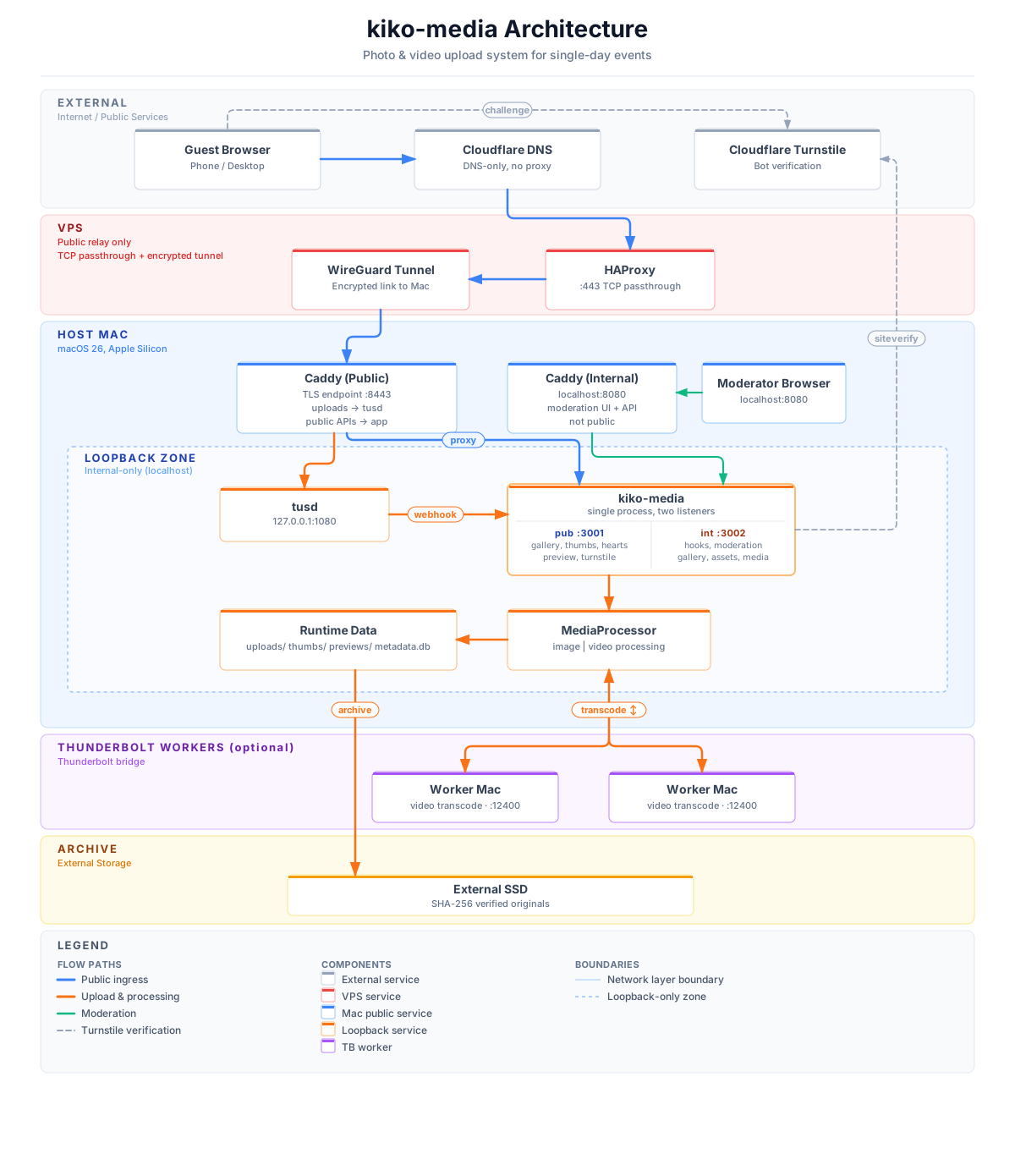
Access is gated by Cloudflare Turnstile with optional password or QR code. No user accounts. Uploads are resumable via the TUS protocol. Original media is SHA-256 verified and archived to an external SSD. Photos and videos are resized/transcoded for public view, embedded metadata is removed. System recovery is automatic. The public-facing site is separate from the internal moderation site. Traffic is encrypted in transit through WireGuard, with HAProxy handling TCP passthrough.
Terminal UI
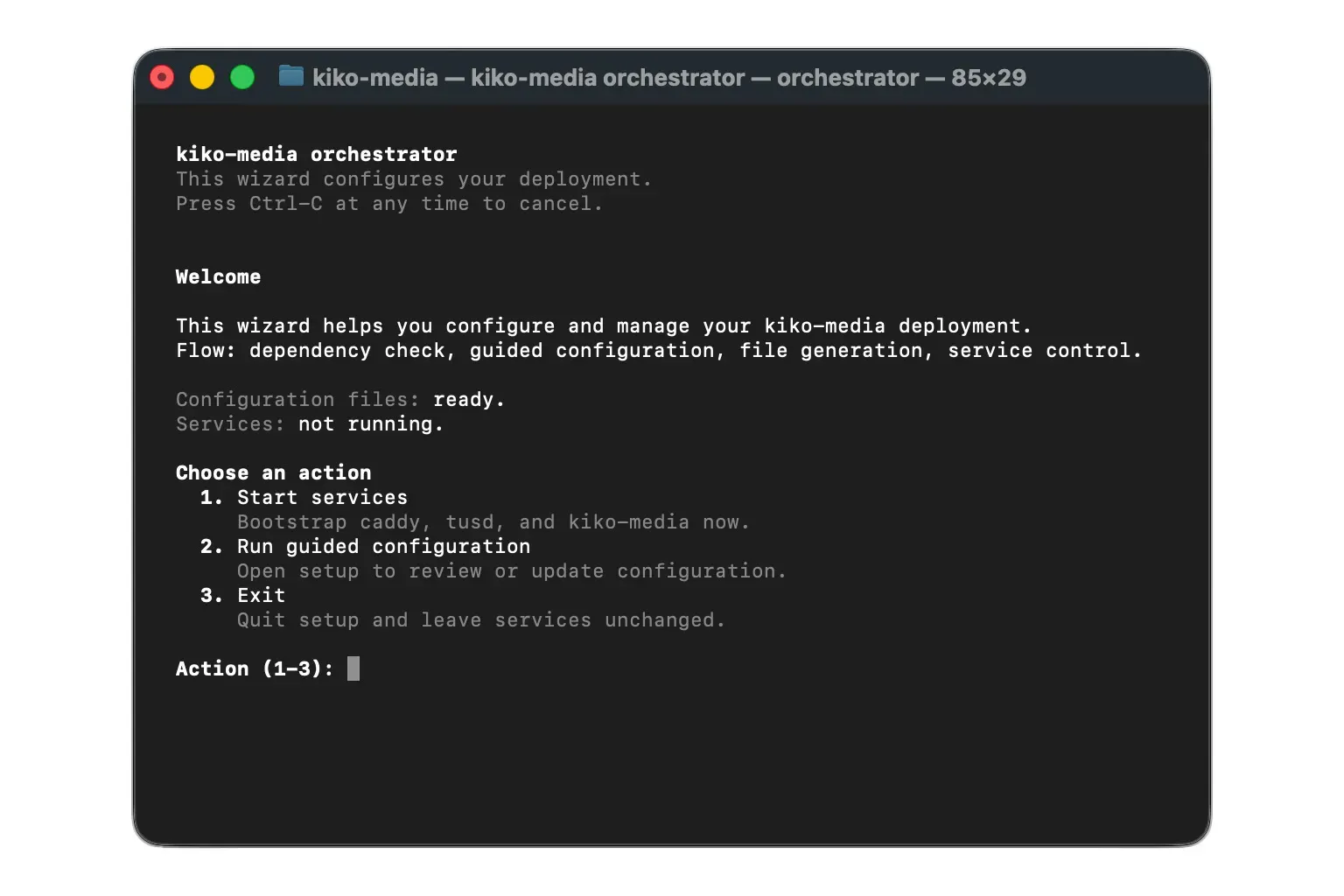
A simple way to start the system, and shut it down. So, ahem, we built ~100ish TUI screens to cover every part of the system. Here are a few abbreviated examples.
It’s a big world in there, just a keystroke away.
Orchestrator
Setup
Lifecycle
Help
Status
Thunderbolt
Setup
Worker Status
Benchmarks
Profile
The Tricky Bit
Video
Photos are relatively simple to resize quickly and most phones shoot small enough photos. But videos are kind of all over the place. Let’s build a system that will be smart for those we don’t need to transcode, but also, provide transcoded videos for any end user that needs it.
The old Mac Mini is not going to cut it. You know what might? My M4 Max laptop. But, I do use that for other things… Oh you know what, Microcenter is running a 200 dollar off special (Riiiiiight before the whole OpenClaw thing) so I could get a M4 Mac Mini for 400 dineros? Seems like that might be the move. It could transcode the videos and run everything.
Thunderbolt
You know what these apple machines also have? Thunderbolt. What if, now that we have multiple M series Macs (but of very different specs) we could share the burden of the system using a Thunderbolt Bridge. The mini could work as the orchestrator owning the website but not necessarily the heavy lifting. Let’s have the video transcode spread across the fleet. So we built a system where files are sent between macs at 4000 MB/s.
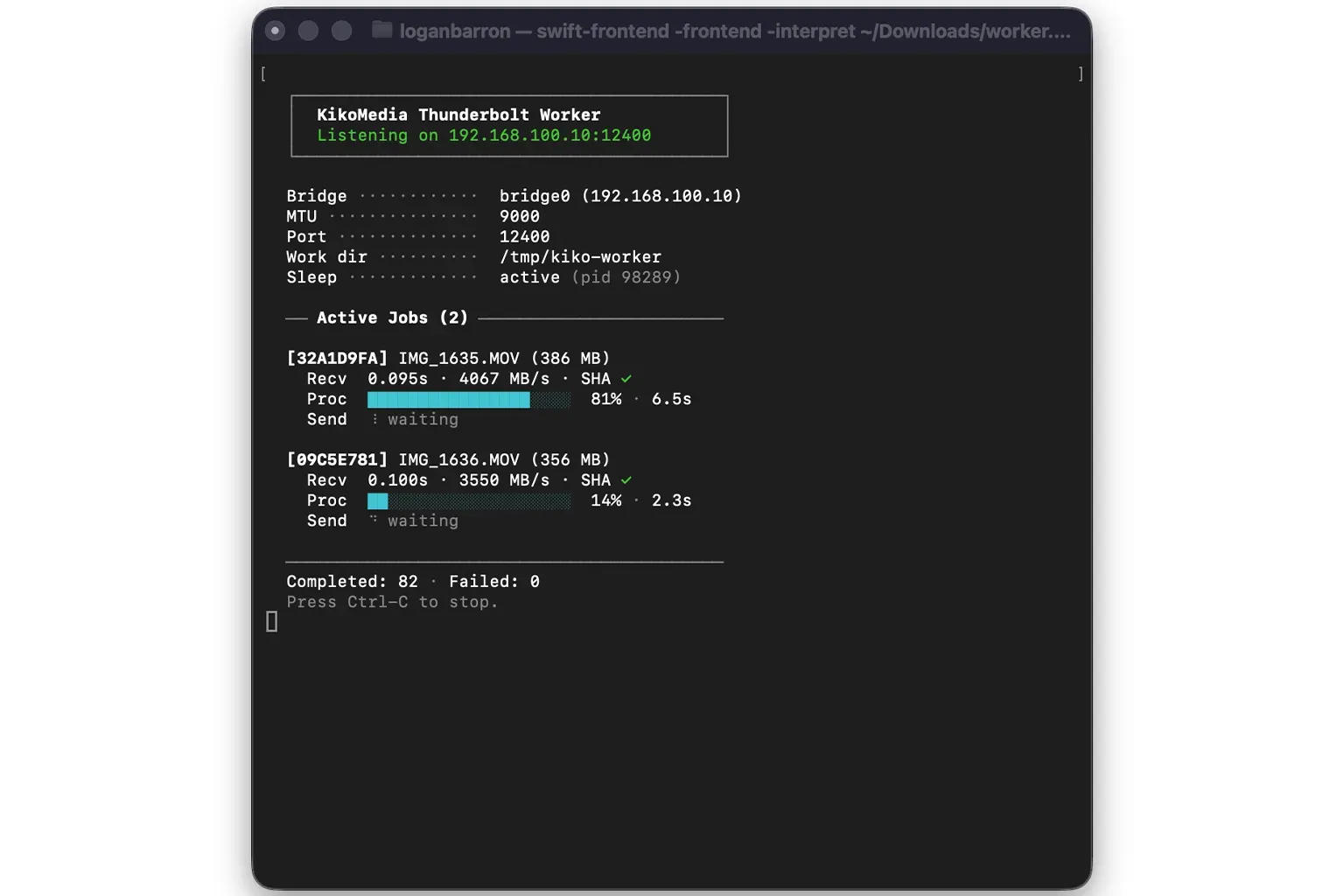
Benchmarks
Each mac has their own hardware decode and encoders. But system variability is a thing. Since I am sharing this publicly, let’s make sure this system works everywhere. Let’s build an entire end to end benchmarking system (provided you feed the benchmark a high signal video and photo corpus) to ensure the orchestrator is tuned to the max on any setup. Rather than guessing, the benchmarking system is built to profile every part of the pipe - image, video, sha256, db, external ssd, and thunderbolt system. Just a little warning, with enough videos the sweep benchmarks might take an hour or longer… so while that runs you should treat yourself to a lunch, play with the dogs, get a nice coffee, you have made it this far, you deserve it.
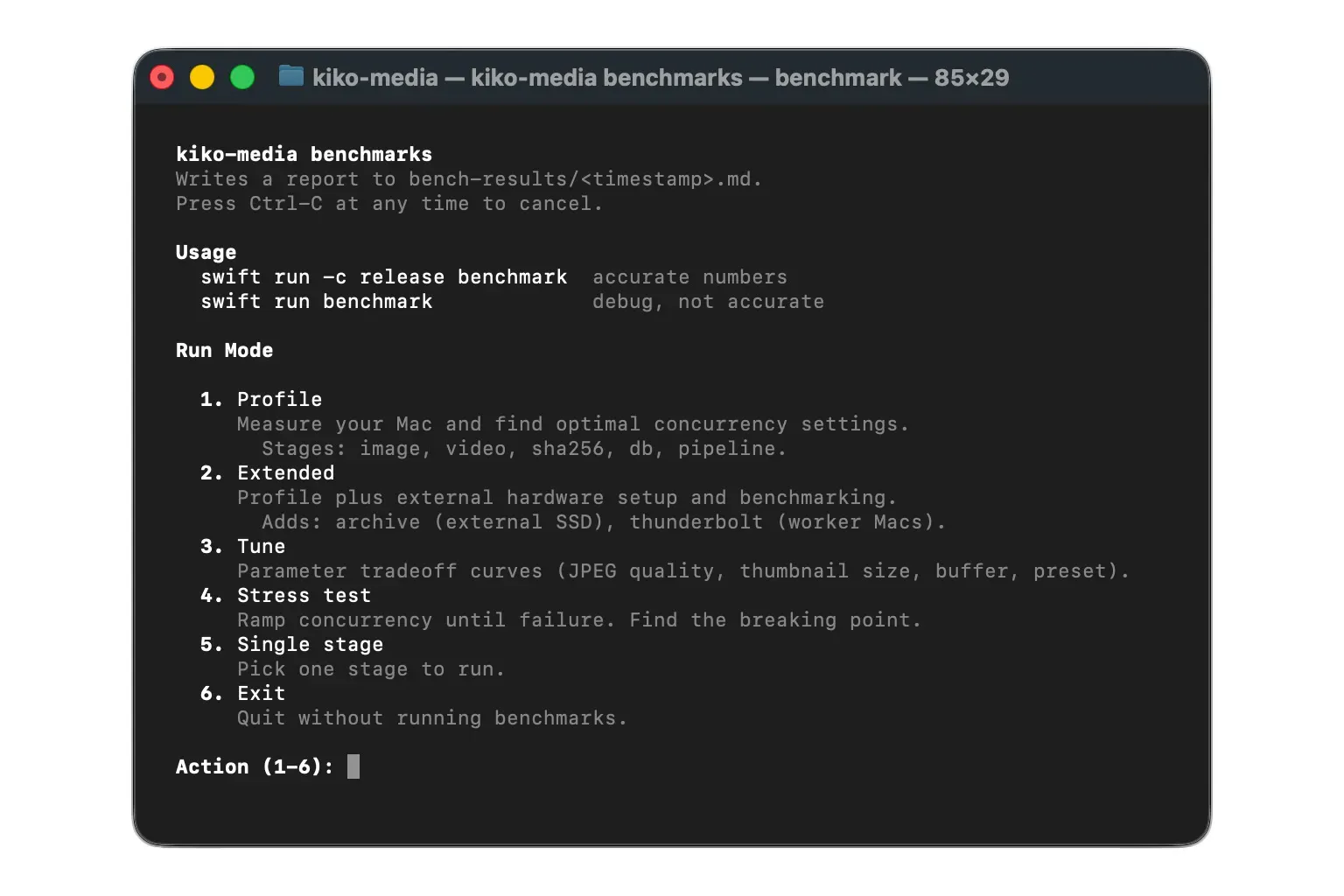
Concurrency
How can I get the most speed or take the least amount of time for the end user to get their videos from upload to live. I wanted the system to work as a stand alone if you just have single m1 air, or, if you are #blessed with 3 Mac Studio Ultras connected via TB5 - 12 hardware encoders!? (for those not in the know, more encoders is more betters). And so, of course, we built a system to send the videos across multiple macs. The benchmark system attempts to show what concurrency is “best” to balance throughput with latency against a given video test corpus.
What ended up being fastest was First In First Out for videos (from upload to any machine). FIFO, not to be confused with FAFO. VERY different things. The downside of the system is that a large file can end up on the slowest machine (Which we will revisit in the next section…)
Winner = Lowest Wall Time. There is noise and it depends on the quality of the video test corpus. But roughly, you can see that on the macs I have, concurrency of 2-3-2 is the sweet spot for speed / latency.
If I just had the M1 Macbook Air, the 77 videos would take 556.5 seconds. Which is not great. With the thunderbolt orchestrator, it gets down to about 120 seconds.
78% reduction in wall time. Not bad.
Videos: 77

Macs
  Name     Chip        CPU (P/E)  HW (E/D)  Max Slots
------------------------------------------------------
  Local    M4          4/6        1/1       3
  W1       M4 Max      12/4       2/1       5
  W2       M1          4/4        1/1       3

── Sweep Mode ──────────────────────────────────────────────

  95 configurations detected.

  1. Algorithmic Search
     Profiles each machine, then targets best combinations.
     Less runs across 3 machine(s).

  2. Exhaustive Search
     Tests every configuration.

Sweep mode (1): 1
This might take a while.
To cancel: pkill -f benchmark (from another terminal)

Run      Local    W1    W2  Prediction  Video/m  Wall time  Fail
----------------------------------------------------------------
P1           0     1     0                 16.0     288.2s     0
P1           0     2     0                 20.1     230.0s     0
P1           0     3     0                 20.6     224.7s     0
P1           0     4     0                 20.5     224.8s     0
P1           0     5     0                 20.5     225.3s     0
P1           1     0     0                 10.0     460.6s     0
P1           2     0     0                 10.4     443.2s     0
P1           3     0     0                 10.4     443.3s     0
P1           0     0     1                  8.3     556.5s     0
P1           0     0     2                  9.1     505.6s     0
P1           0     0     3                  9.2     502.2s     0
P2           2     3     3      115.0s     36.7     125.9s     0
P2           3     3     3      115.0s     37.7     122.4s     0
P2           2     4     3      115.0s     37.1     124.6s     0
P2           3     4     3      115.0s     38.0     121.7s     0
P2           2     5     3      115.1s     36.9     125.0s     0
P2           3     5     3      115.1s     38.4     120.4s     0
P2           2     3     2      115.2s     39.5     117.0s     0 ***
P2           3     3     2      115.2s     38.5     119.9s     0
P2           2     4     2      116.3s     37.3     123.9s     0
P2           3     4     2      117.7s     39.3     117.4s     0
P3           1     3     2                 39.5     116.9s     0
P3           2     2     2                 38.5     120.0s     0
P3           2     3     1                 38.4     120.4s     0
P3           0     3     2                 29.3     157.8s     0
P3           1     2     2                 36.1     128.1s     0
P3           1     4     2                 38.3     120.6s     0
P3           1     3     1                 38.2     121.1s     0
P3           1     3     3                 36.5     126.6s     0
P3           3     5     2                 39.6     116.7s     0
P3           3     4     1                 38.7     119.4s     0
P3           3     2     2                 37.9     121.9s     0
P3           3     3     1                 38.2     121.0s     0
Complexity Aware Scheduling
There are technically two systems for video transcode scheduling in the codebase. FIFO (First In First Out) as well as Complexity Aware (CA). If you have done the Orchestrator setup, and Thunderbolt wizard you will have the ability to use/test the CA system, otherwise it’s vanilla FIFO for you.
A TRUCK LOAD of time and pain was put into this. I am not facebook scale or willing to share the transcode on the web, the design constraint is how can we use the limited resources we have to make the end user feel like they are using instagram or tiktok (in terms of, they upload a video, how long do they have to wait till it is live). How can I get the right video to the right machine at the right time, and ensure it will be transcoded in the least amount of time - the macs all report to each other all the relevant information already, seems simple.
Why not add a NP Hard problem inside our simple swift refactor. Let’s solve resource time aware scheduling. Using LLMs. Definitely will work right!? (right?)
Using data from the profile benchmarks (you have to run them before you get here anyway), the algorithm predicts how long a video processing job will take on a given machine/slot, accounting for concurrency degradation and network overhead. The scheduler uses this score inside a greedy-seeded branch-and-bound batch solver to assign pending jobs across local and remote slots that minimizes the projected time to live across all assignments. (All totally normal human words.)
Sadly, CA is not yet faster than FIFO for all scenarios. Which is a bummer. So it is not turned on by default, and will remain a work in progress.
Tests
The code was largely Test Driven Development. Accordingly, there are roughly 700 tests. A fresh build takes about 9 seconds. They have gone through many many many iterations of LLM removal and updates. I think they are all mostly useful? I mean they all pass!
The signal to noise in there is probably middle-ish, pointing towards more signal than less. But, ymmv.
The Business End
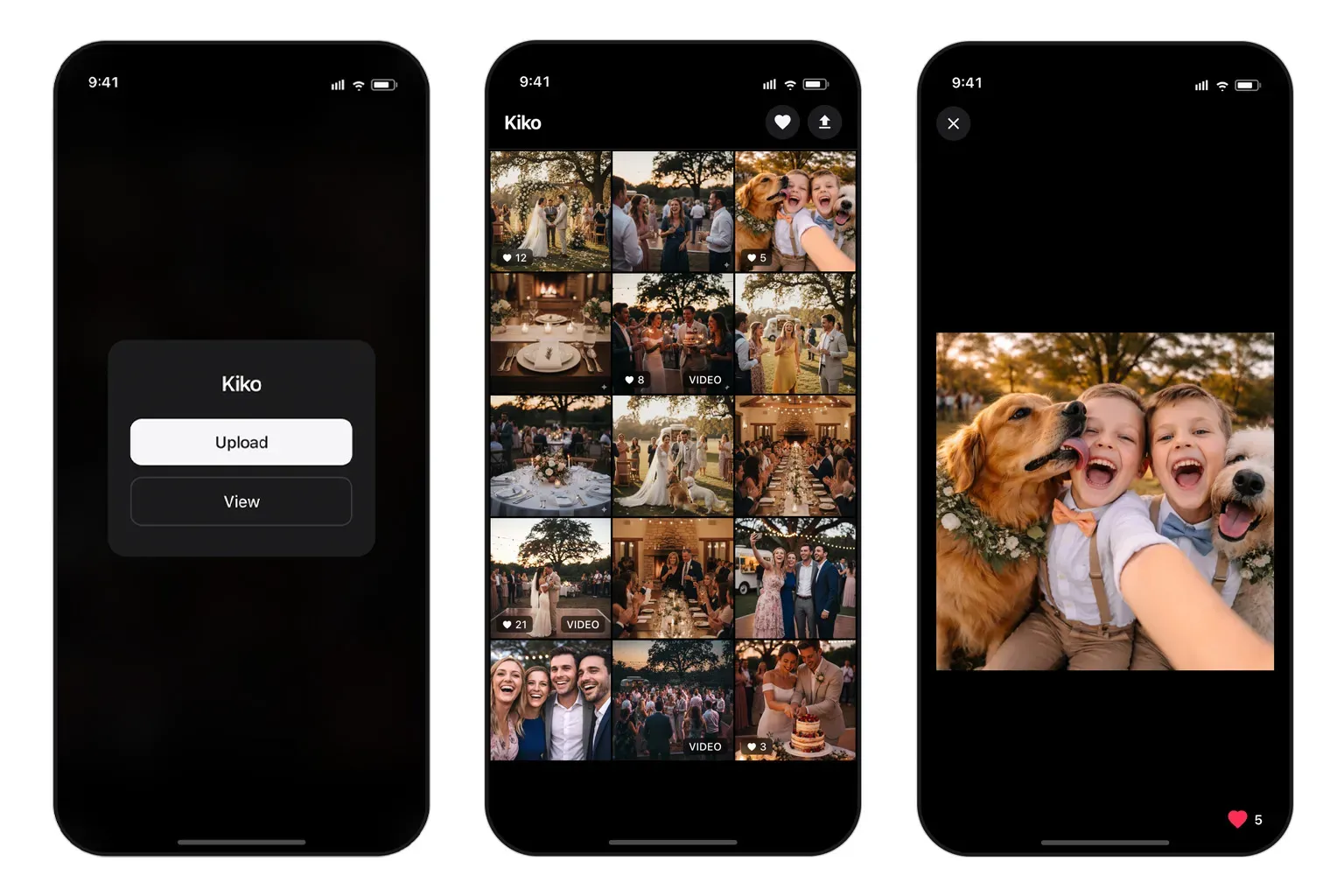
The inspiration was part Apple Photos for the grid and light box, part social media for the hearts. Probably easier to just show you how it works, rather than more paragraphs, so here are a few demos! All imagery is AI generated, even those super cute dogs.
Happy Path
Auth Flows
Upload
Hearts
Live Updates
Pull to Refresh
Theme Toggle
Tomorrow
Assuming the beta test / stress test event goes well (and of course it will, this LLM code is perfect!) I’ll update the GitHub to public and you can do whatever you want with the code. And depending if you are reading this after that event, or before, it might already be there and live! Or not. Temporal dynamics are tricky like that.
I hope that covers this little social media project. If you are looking for super deep dives or more technical data, here ya go!
- Runbook: setup, deployment, operations, troubleshooting
- Architecture: API routes, processing flow, security boundaries
- Advanced Config: env vars, defaults, ranges, operational notes
- Security: security model, access control, attack surface, privacy
- Benchmark Stages: benchmark methodology and stage details
- Complexity Aware Scheduling: full reference guide of the CA system)